


SiftQ: reference-led video generation with usage-based rates
SiftQ offers text, image and multi-reference video controls. Compare its displayed per-second rates and download finished videos before their retention period ends.
AdsGenie adapts ad templates with your product information. Check generation settings and credit estimates before budgeting a campaign.
AdsGenie gives marketers a template-led starting point for product video ads. Its public template page groups examples by industry, with categories including food, consumer electronics and beauty. The service asks you to choose a reference and adapt the creative to your product.
The creation studio shows Template and Custom modes, a product upload control and a field for written input. The visible product control accepts PNG or JPG files. The studio labels the selected model Seedance 2.5; that is the service's displayed model name, not an independently verified statement about its model access.
Use an image that represents the product you intend to advertise, and keep the written instructions consistent with its actual features. Template adaptation still needs editorial review. Check whether the result depicts the right packaging, spells any product text correctly and makes only claims you can support before using it in a campaign.
AdsGenie charges credits for generation. Its public pages show different credit estimates alongside different durations and resolutions, so one example's cost should not be treated as a universal rate. Confirm the displayed settings and total before submitting each request.
The pricing page displays annual-plan rates of $9.95 per month for Standard, $18.95 for Plus and $59.50 for Max. Their monthly allowances are 1,200, 2,700 and 8,000 credits. Those are annual-plan figures as displayed, not confirmed month-to-month subscription prices.
The advertised video counts use an estimate of approximately 35 credits per video. Actual usage varies with model, resolution and duration. The publisher says each video can be up to 30 seconds and that failed generations receive their credits back. Check the current purchase terms and request estimate rather than dividing a credit balance by that example alone.
A useful first trial is one product and one short creative brief. Review the generated clip on the device and placement you plan to use, paying attention to framing and the legibility of product details. Keep the source images and compare the output against them.
Confirm campaign suitability and the usage rights for each template before publishing an adapted creative. A template and a generated result do not establish advertising performance or a complete commercial licence. Franklin has inspected the public interface; it has not submitted a generation or measured advertising results.
Before you try it
The creation studio accepts a PNG or JPG product image and written product information. Review the chosen template and output settings before generating.
Official sourceNo. AdsGenie says credit usage varies by model, resolution and duration. Its advertised video counts are estimates, so use the selected request's displayed charge when budgeting.
Official sourceThe pricing FAQ says the corresponding generation credits are returned when a generation fails. That is a credit-return policy; it does not establish a cash-refund entitlement.
Official sourceSiftQ offers text, image and multi-reference video controls. Compare its displayed per-second rates and download finished videos before their retention period ends.

MuseVideo.io offers text and image-led video workflows while explicitly separating its available workspace models from Meta's Muse preview.
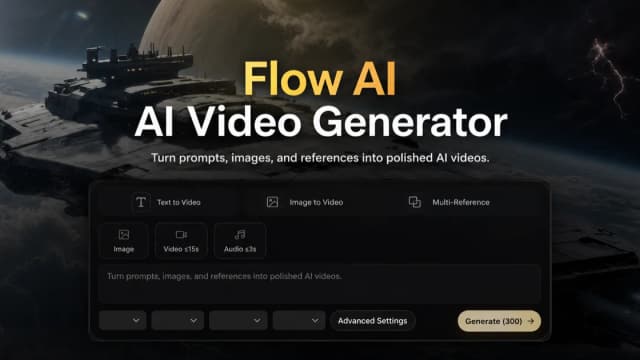
FlowAI.studio offers text, image and first-and-last-frame video workflows, with annual credit plans and model-dependent generation settings.

HotelLobby.ai turns two authorized photos into a 15-second landscape rap-duo template video. Its published controls specify resolution costs, seven-day downloads and photo-handling limits; exact motion, likeness and lip sync are not

Bejou animates a couple photo or separate portraits into a short romantic clip. Its page describes prompts, presets, selected-model audio support, and welcome credits; privacy and realism claims remain vendor statements rather than
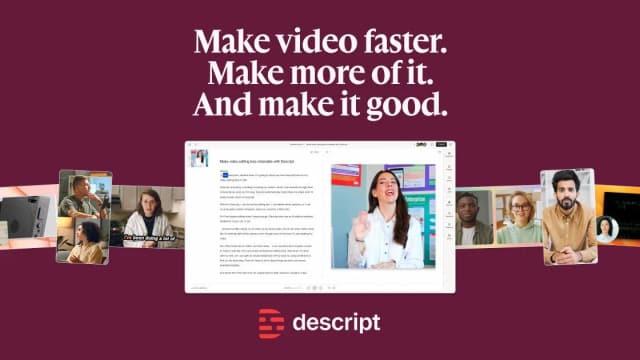
Descript edits audio and video through a transcript, with an AI co-editor, audio cleanup, recording and clip-making tools.