


SiftQ: reference-led video generation with usage-based rates
SiftQ offers text, image and multi-reference video controls. Compare its displayed per-second rates and download finished videos before their retention period ends.
Bejou animates a couple photo or separate portraits into a short romantic clip. Its page describes prompts, presets, selected-model audio support, and welcome credits; privacy and realism claims remain vendor statements rather than independently tested...
Bejou AI turns static portraits into short romantic motion clips, including kissing and couple-embrace animations. The site describes using a couple picture or separate portraits, then selecting a model, template, or prompt to shape the result. Use identifiable adults' images only with their consent, and do not present a generated interaction as evidence that it occurred.
The displayed form accepts one to three images and a prompt of up to one thousand characters. It shows five- and ten-second duration choices alongside Fast, HD, and Ultra HD quality labels. Elsewhere, a Bejou 5.0 label advertises fifteen-second export, so the current model and selected controls should be checked rather than assuming every duration is available together.
The publisher lists romantic presets and artistic styles, including anime and watercolor. Selected models support adding uploaded music or a voice note and trimming it in the editor. The listed external model names describe the vendor's offering; they do not establish an official partnership or independently verified access.
For a broader scene brief, SiftQ's multi-reference video interface accepts image, video, and audio references. Bejou's described entry point is narrower: portraits and a chosen interaction, with audio supported on selected models. That distinction helps separate a portrait-animation request from planning a whole scene.
The FAQ says a first login receives two hundred welcome credits and describes further credits through check-ins, invitations, or adding a browser shortcut. This is a credit-based trial, not evidence of unlimited free generation.
Free outputs may have a watermark. The page advertises paid credit top-ups or a Pro upgrade for watermark-free downloads and higher-resolution exports, but the captured page does not provide a complete paid price table. It also says credits are automatically refunded when a task fails because of detection problems or timeouts. These are the service's stated terms, not a tested transaction history.
Bejou claims encrypted transfers, isolated storage, no public training use of likenesses, and user deletion controls. Franklin has not independently verified those practices from this public page. Consent to create an animation does not by itself resolve how a service handles uploaded portraits.
The advertised sixty-to-one-hundred-twenty-second rendering time depends on the queue. Realism claims likewise do not guarantee identity consistency or natural motion in a particular output. Review the generated clip, its sharing context, and the applicable data terms before using sensitive photographs.
Before you try it
The FAQ says a first login receives 200 welcome credits. It describes further earnable credits through check-ins, invitations or installing a browser shortcut; that does not establish unlimited generation.
Official sourceThe publisher says free trial clips may include a watermark. Paid credit top-ups or Pro are advertised for watermark-free downloads and higher-resolution exports, subject to the selected offer.
Official sourceThe current upload control accepts one to three images. Check the selected model, template and duration controls because the site displays different capabilities for different generation options.
Official sourceSiftQ offers text, image and multi-reference video controls. Compare its displayed per-second rates and download finished videos before their retention period ends.

HotelLobby.ai turns two authorized photos into a 15-second landscape rap-duo template video. Its published controls specify resolution costs, seven-day downloads and photo-handling limits; exact motion, likeness and lip sync are not
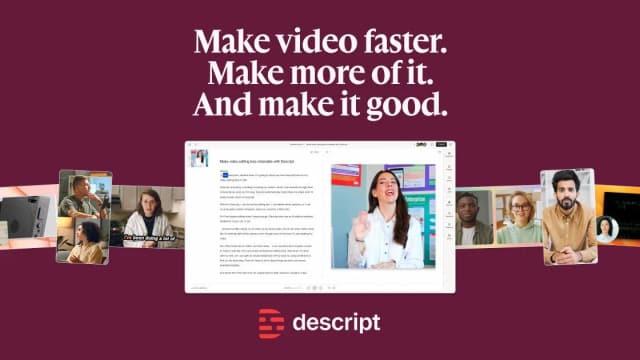
Descript edits audio and video through a transcript, with an AI co-editor, audio cleanup, recording and clip-making tools.

Leonardo.Ai offers prompt-led image creation, video motion tools, image and video editing, and resolution enhancement for visual projects.
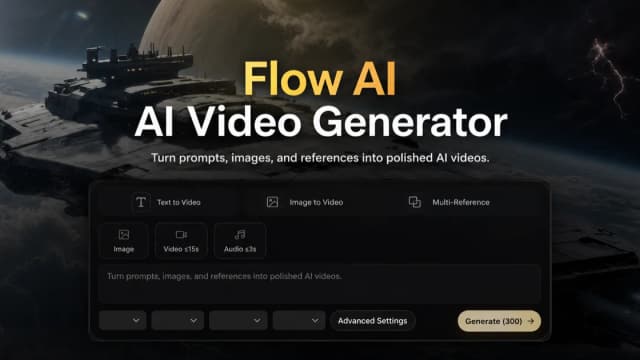
FlowAI.studio offers text, image and first-and-last-frame video workflows, with annual credit plans and model-dependent generation settings.

MuseVideo.io offers text and image-led video workflows while explicitly separating its available workspace models from Meta's Muse preview.