


Handoff
Handoff supports residential contractors from project scope and estimates through proposals, scheduling, client documents, invoices, and payments.
ContractorCounter links drawing counts and calibrated measurements to an editable bill of quantities and quote, with AI proposing work for estimator review.
ContractorCounter is a browser workspace for construction takeoff and estimating. Its assistant proposes counts, measurements, and drawing scale from plain-English requests, then feeds reviewed quantities into a bill of quantities and quote. The product is aimed at subcontractors and small trade teams.
The publisher describes requests such as counting outlets or measuring wall lengths, with markups placed on the drawing. Its AI can propose a scale calibration, but the website instructs users to check it against a known dimension before relying on lengths, areas, or volumes. An incorrect scale can affect all measurements that depend on it.
The site's interactive sample is explicitly labeled as using scripted AI responses. It can show the workspace layout, but it is not evidence of live takeoff accuracy on your drawings. Evaluate the workflow with a real sheet and independently check the quantities you plan to use.
ContractorCounter describes itself as takeoff-first rather than a full cost-database suite. Quantities feed a live bill of quantities, while rates remain editable and AI suggestions require review. This distinction is useful for an estimator who already has pricing information and wants a connected drawing-to-quote workflow.
The publisher says the product does not auto-submit bids or manage tender pipelines. Preparing a quote is therefore separate from sending or winning a bid. Its wider competitor comparisons are not needed to establish that narrower workflow. Franklin has not tested quantity accuracy or quote calculations.
The pricing page offers a first workspace without a card, including limited AI. Exports and sharing require a paid plan or an eligible trial that requires a card. The listed three-day trial can convert to the selected subscription unless canceled before the first charge date.
Pro is listed at US$14 monthly or US$140 yearly; Team is US$10 per seat monthly. A US$249 one-time Lifetime offer has a lower AI allowance than Pro. Usage is credit-based and varies with drawing size, model, and requested work, so an allowance is not a guaranteed number of completed takeoffs.
Before you try it
It is a takeoff-first tool: the assistant proposes counts, measurements and scale, while you review quantities and supply pricing. The publisher distinguishes it from estimating suites with preloaded labour rates and assembly libraries.
Official sourceNo. The free preview lets you open and mark up a drawing during the session, but it excludes AI and does not save or export work. Paid access is needed to keep the workspace and use the AI allowance.
Official sourceNo. The publisher describes credit-based usage with roughly 60 credits per week on paid plans. The account's AI Agent settings show the remaining balance and reset time; Lifetime has the same weekly allowance as Pro.
Official sourceHandoff supports residential contractors from project scope and estimates through proposals, scheduling, client documents, invoices, and payments.
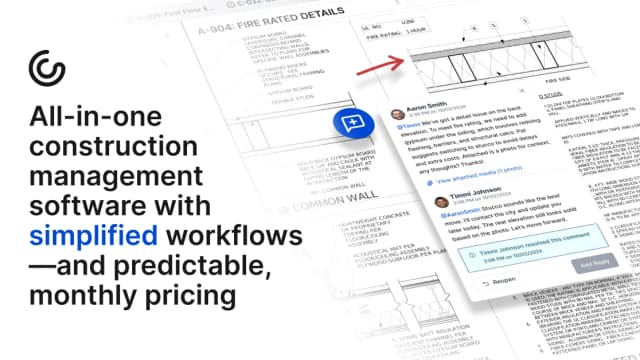
Constructable brings construction drawings, field records, project workflows, and financial management into a shared workspace with AI-assisted tools.

AI Art Create presents image and video generation through a shared credit subscription, with comparison, commercial-use, and privacy features varying by plan.

RizeTrade organizes trading records, notes and performance reports, with a paid AI question interface for examining the journal's stored data.

Lovspark presents a canvas for interior and architectural design concepts, including room staging, exterior materials, product scenes, and image refinement.

AIDesignHouse produces home-design concepts for interiors, exteriors and gardens, with floor-plan inspiration and credit-based access.