
Command Code
Command Code is a coding agent with terminal and desktop workflows, model choices, reusable skills and MCP connections. Its publisher describes learning coding preferences from accepted, rejected and edited suggestions.
GPU Mart rents GPU servers and VPS configurations for AI inference, image generation and rendering. Users manage their serving software through Linux or Windows access; hardware availability and billing terms vary by configuration.
GPU Mart is a GPU-hosting provider for workloads such as AI inference, image generation and 3D rendering. Its official site lists GPU VPS, dedicated servers and multi-GPU configurations. This is infrastructure for running software, not a consumer assistant that supplies answers or finished media on its own.
The catalog separates GPU memory from system RAM, CPU, disk and bandwidth. Match the whole configuration to the application rather than selecting from a GPU name alone. The publisher describes dedicated physical GPU access and, for VPS products, isolated resources with PCIe passthrough.
Its examples include hosting open language models with vLLM, Ollama or TGI, and running image workflows such as ComfyUI. These are supported-workload descriptions, not measured throughput for a particular model, quantization or request volume. Test the intended software and model with representative inputs before estimating production capacity.
GPU Mart describes SSH access for Linux and RDP for Windows, depending on the plan. It also lists Docker with Nvidia Container Toolkit support. Users can therefore operate their own serving stack or containerized workload rather than relying on a single managed model API.
The FAQ says the default installation is a clean operating system with Nvidia drivers. Preconfigured frameworks and apps are available on selected configurations, so do not assume that every server arrives with the application you need. Check deployment options, storage and backup settings before moving model files or production data.
The publisher names persistent storage for model weights and outputs as part of image-generation use cases. Treat server administration, application updates and protection of exposed services as part of your own deployment planning.
The site's comparison table explains that its displayed monthly-equivalent rates use a longer billing term and that shorter terms may cost more. Hourly billing is described for selected configurations, subject to inventory. It also offers a trial by application, so confirm availability rather than assuming immediate free access.
The pricing catalog should be checked for the exact configuration and commitment period. Promotional savings, uptime history and response-time figures are publisher claims, not independently measured performance for your server. Compare the full resources and billing term, then evaluate the actual workload before making a long commitment.
Before you try it
The default described image is a clean operating system with NVIDIA drivers. Preconfigured AI applications are offered only on selected plans, so check the deployment options for the required framework.
Official sourceThe source lists SSH access for Linux or RDP for Windows depending on the plan. This is server infrastructure you configure, rather than a universally managed end-user AI application.
Official sourceNo. Short-term billing is limited to selected products and must be confirmed. The provider also notes that out-of-stock configurations can take longer to deploy.
Official sourceCommand Code is a coding agent with terminal and desktop workflows, model choices, reusable skills and MCP connections. Its publisher describes learning coding preferences from accepted, rejected and edited suggestions.

LevelShaper creates Roblox starter games from written prompts, with browser previews and downloadable Studio projects. Its first-game offer includes 60 credits without a credit card.
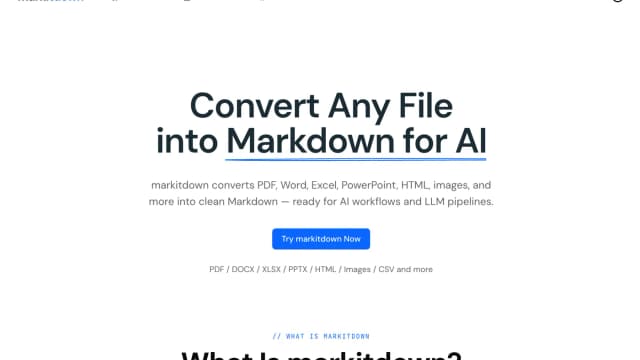
MarkItDown's web converter offers local, server and OCR paths for turning documents, tables, images and public URLs into Markdown.

SeedRouter offers usage-based access to language, image, video and audio models, with task polling and webhooks for longer jobs.

massCode keeps code snippets, technical notes and saved API requests together in a local-first developer workspace. Its optional AI assistant supports user-supplied cloud credentials or local models, with confirmation required before

Modaal describes a workflow in which an agent writes a product document and feature specifications for approval before coding. It produces local SwiftUI and Jetpack Compose projects and checks shared behavior through build fixtures.