

MDMA
MDMA extends Markdown with schema-defined interactive components, using separate parsing, validation, runtime, and rendering packages for agent interfaces.
Find AI tools for work, creativity and everyday tasks. Read what they do before you try them.
MDMA extends Markdown with schema-defined interactive components, using separate parsing, validation, runtime, and rendering packages for agent interfaces.

The catalog's Oxlo entry currently points to OxCode, an invite-only coding agent for VS Code-compatible editors, with visible task plans, command approvals, and local Markdown memory.

ToAPIs is a third-party model gateway advertising an OpenAI-compatible interface, centralized usage billing, and text, image, video, and audio model access.

PageAgent.js embeds a browser-based AI operator into webpages so users can issue natural-language commands, review actions, and connect hosted or local language models.
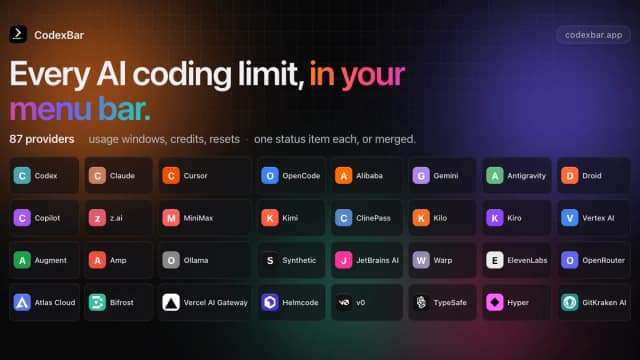
CodexBar is a free, open-source macOS menu-bar utility for viewing AI-provider usage windows, balances, spending information, and reset countdowns where available.

Image Color Picker samples pixels from uploaded, pasted, or remotely loaded images and returns HEX, RGB, HSL, and HSV values in a browser.

Tempmail.bot offers a disposable email address and an auto-refreshing inbox without creating an account, for temporary incoming messages.
FluidVoice is a free, open-source macOS dictation app with local speech models and optional local or cloud text enhancement.

Agent AFK is an Apache-2.0 terminal coding agent built around delegated work, adversarial verification and remote supervision.
Start with the job, not the brand. Pick a category, sort by newest to see recent launches, then open a tool page to read what it does, who it suits and where its official website is.
Sign in, choose Submit Tool, paste the tool’s official website, pick a category and add a sentence on what it does. Submitting is instant: it is saved straight away and appears in your submission history, where you can follow it through to its published page.
Yes. Founders and makers are welcome to submit their own tools. Link the official product page rather than a social post or app store listing, so readers land in the right place.
Some are free, many have a free plan, and some are paid only. Each tool page links to the official website, which has the current pricing, because plans and prices change often.
New tools are added every day. Sort by Newest first to see the latest additions, or follow the AI Tools RSS feed to get them as they are published.