
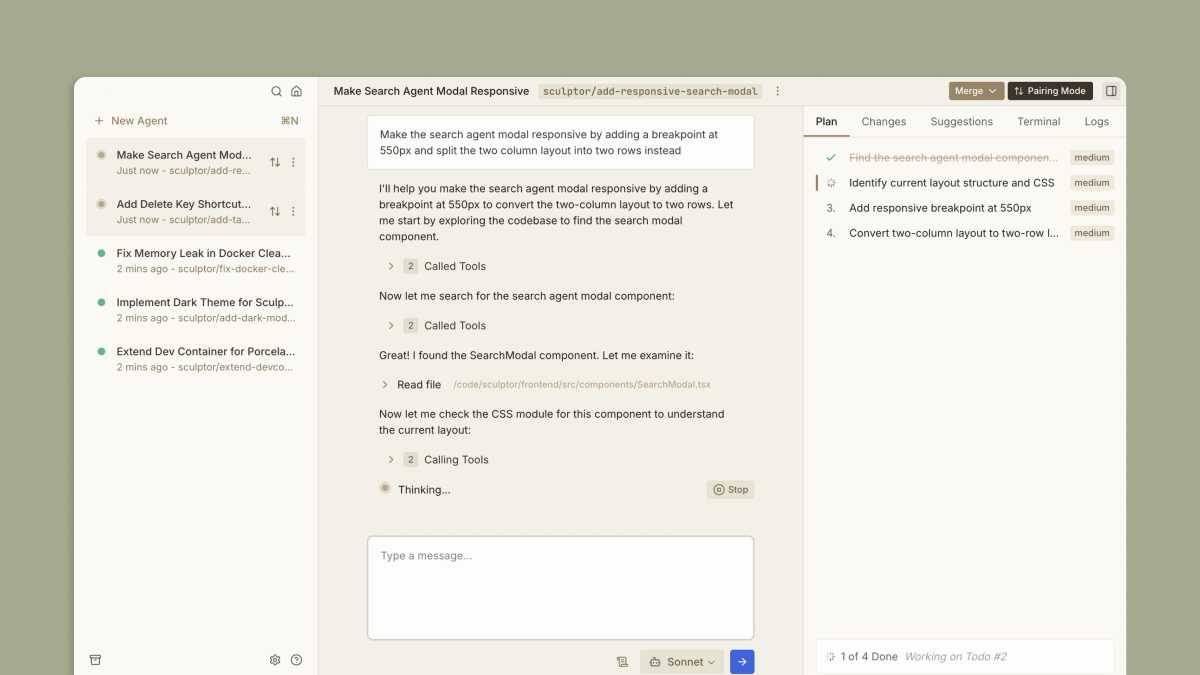
Sculptor: The missing UI for Claude Code
Run parallel Claudes safely in containers. Jump between their environments to instantly test changes. Get suggestions that catch critical issues as you go.
Find AI tools for work, creativity and everyday tasks. Read what they do before you try them.
Run parallel Claudes safely in containers. Jump between their environments to instantly test changes. Get suggestions that catch critical issues as you go.
Build your perfect workflow, piece by piece, with AI—connect apps and automate tasks effortlessly. No coding required.

End-to-end visibility in a single click. Capture once, use for debugging, testing, support, feature development, and AI workflows.

Explore the SEAL leaderboard with expert-driven LLM benchmarks and updated AI model leaderboards, ranking top models across coding, reasoning and more.

Propel reviews pull requests using codebase context and team policies, with summaries, security scanning and analytics. Its trial, developer-based billing and monthly PR limits are...

AI Code Reviews designed for modern dev teams. Cut review time, improve code quality, and ship with confidence — with contextual, senior-level feedback.

A nocode tool that generates WordPress blocks and plugins from natural language descriptions.

Warp combines a terminal and coding agent with a separate early-access platform for defining and coordinating software factories.

Rafter is the easiest way to scan your GitHub repositories for security vulnerabilities. One-click and AI-ready.
Start with the job, not the brand. Pick a category, sort by newest to see recent launches, then open a tool page to read what it does, who it suits and where its official website is.
Sign in, choose Submit Tool, paste the tool’s official website, pick a category and add a sentence on what it does. Submitting is instant: it is saved straight away and appears in your submission history, where you can follow it through to its published page.
Yes. Founders and makers are welcome to submit their own tools. Link the official product page rather than a social post or app store listing, so readers land in the right place.
Some are free, many have a free plan, and some are paid only. Each tool page links to the official website, which has the current pricing, because plans and prices change often.
New tools are added every day. Sort by Newest first to see the latest additions, or follow the AI Tools RSS feed to get them as they are published.