
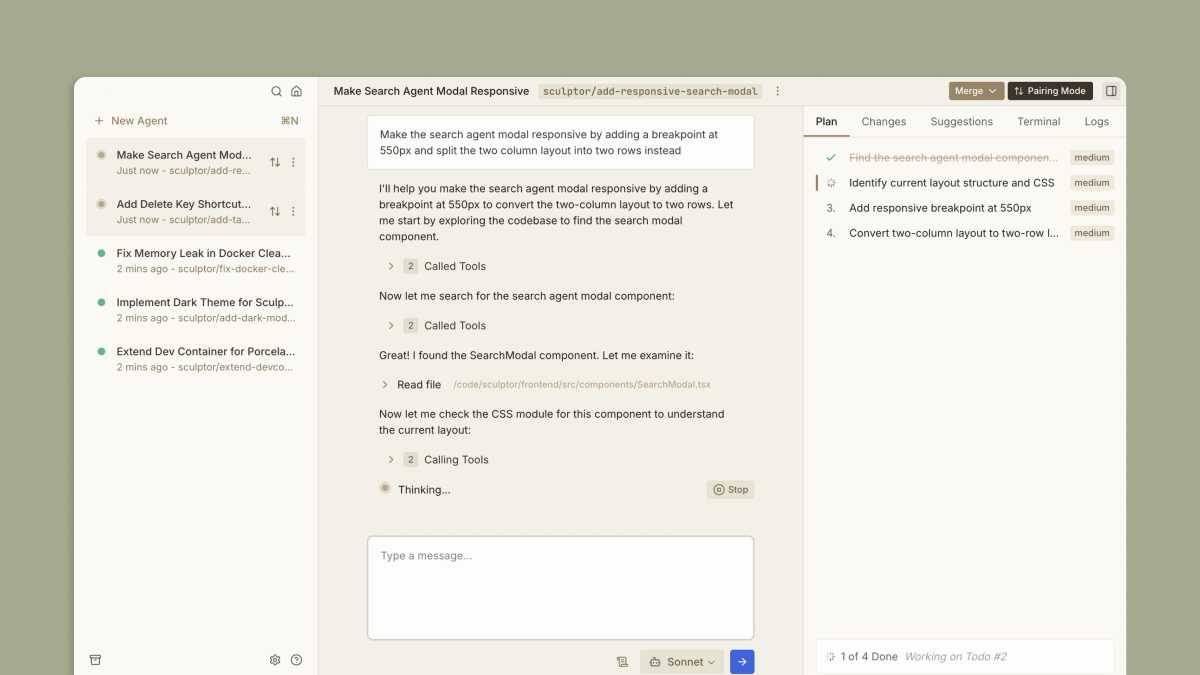
Sculptor: The missing UI for Claude Code
Run parallel Claudes safely in containers. Jump between their environments to instantly test changes. Get suggestions that catch critical issues as you go.
Find AI tools for work, creativity and everyday tasks. Read what they do before you try them.
Run parallel Claudes safely in containers. Jump between their environments to instantly test changes. Get suggestions that catch critical issues as you go.
Build your perfect workflow, piece by piece, with AI—connect apps and automate tasks effortlessly. No coding required.

Pixso combines collaborative interface design, whiteboarding, prototypes, design systems and developer handoff, with plan- and seat-dependent AI access.

Poolday is an all-in-one AI video editor designed to streamline video creation for individuals and teams. The platform allows users to generate professional-quality videos rapidly,...

Generate professional tech packs with AI in minutes. Create detailed product specifications, technical drawings, and manufacturing documents. The #1 AI tech pack maker for designers and...

A tool for translation preparation by generating glossaries and style guides for content localization.
SVG Maker, an AI‑powered SVG generator and editor. Generate, convert, & edit vector images in seconds. Create stunning SVG icons, logos, and designs instantly.

FORM3D is an AI-powered SketchUp extension that transforms online furniture into 3D models, making it faster and easier for designers to bring real-world products into their projects.

Transform and edit photos with AI chat prompts—remove objects, change colors, restyle scenes, and refine details in seconds. Browser-based, secure, and beginner-friendly with...
Start with the job, not the brand. Pick a category, sort by newest to see recent launches, then open a tool page to read what it does, who it suits and where its official website is.
Sign in, choose Submit Tool, paste the tool’s official website, pick a category and add a sentence on what it does. Submitting is instant: it is saved straight away and appears in your submission history, where you can follow it through to its published page.
Yes. Founders and makers are welcome to submit their own tools. Link the official product page rather than a social post or app store listing, so readers land in the right place.
Some are free, many have a free plan, and some are paid only. Each tool page links to the official website, which has the current pricing, because plans and prices change often.
New tools are added every day. Sort by Newest first to see the latest additions, or follow the AI Tools RSS feed to get them as they are published.