

SearchCans
SearchCans supplies structured Google and Bing search results plus a separately billed Reader API that converts source pages and documents into Markdown or HTML.
Find AI tools for work, creativity and everyday tasks. Read what they do before you try them.
SearchCans supplies structured Google and Bing search results plus a separately billed Reader API that converts source pages and documents into Markdown or HTML.

WrittenByMe is an AI humanizer launching soon that is designed to transform robotic AI text into natural, authentic writing while preserving meaning and the user’s voice.

CoupleLens generates stylized couple videos and animated photo scenes through an Android app, with daily credits and in-app purchases.

AdWorker provides product-photo and background-editing tools, including transparent GIF cleanup, white backgrounds, and ghost mannequin images.

FloorPlanAI turns a room-layout prompt into plan illustrations and offers a separate beta workflow for downloadable GLB models.

CreateMemorial hosts family tribute pages with photos and condolences, plus credit-based obituary exports and 1080p funeral slideshow creation.
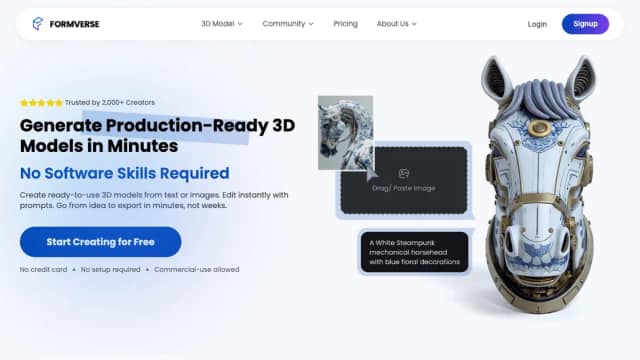
FormVerse generates 3D starting points from text and visual references, then provides editing, inspection, sharing and export workflows. Its credit plans suit different generation...

Flow-Music.app generates songs from text or lyrics and lists extension and cover tools; its commercial-rights claims conflict with current plan exclusions.

FastMoro combines model-selected video and image workflows with editing tools; generation costs and commercial rights depend on the chosen settings and plan.
Start with the job, not the brand. Pick a category, sort by newest to see recent launches, then open a tool page to read what it does, who it suits and where its official website is.
Sign in, choose Submit Tool, paste the tool’s official website, pick a category and add a sentence on what it does. Submitting is instant: it is saved straight away and appears in your submission history, where you can follow it through to its published page.
Yes. Founders and makers are welcome to submit their own tools. Link the official product page rather than a social post or app store listing, so readers land in the right place.
Some are free, many have a free plan, and some are paid only. Each tool page links to the official website, which has the current pricing, because plans and prices change often.
New tools are added every day. Sort by Newest first to see the latest additions, or follow the AI Tools RSS feed to get them as they are published.