

Pixwit.ai
Pixwit combines text and image video generation with product-ad workflows, avatars, image editing, and a visual workflow canvas.
Find AI tools for work, creativity and everyday tasks. Read what they do before you try them.
Pixwit combines text and image video generation with product-ad workflows, avatars, image editing, and a visual workflow canvas.

VO4 is an AI platform for generating videos and images from text prompts, uploaded references, and multiple integrated AI models.

Aepto combines domain, DNS, email, and website monitoring with renewal reminders, portfolio expenses, and public status pages.

MyColoring turns photos, descriptions, or names into printable coloring pages, with style controls and PDF or PNG downloads.

AIImageToVideo turns uploaded PNG, JPG, JPEG, or WEBP images into short AI-generated videos using optional prompts and adjustable output settings.
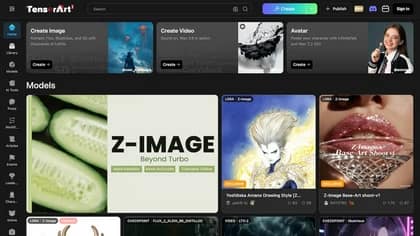
Tensor.Art combines conversational design tools, image models and shared workflows. Its tutorial hub separates classic generation, ComfyUI workflows and model training; access and...

Box Extract is a powerful AI tool designed to transform unstructured text data into organized, structured formats. It excels at extracting specific information like names, addresses,...
AI UGC Video Generator creates product-ad clips from prompts and photos, with short duration choices, vertical or landscape formats, and credit-based plans.

Gologin Cloud Browser provides remote Chromium sessions with persistent profiles, Playwright or Puppeteer connections, proxy routing, and live session controls.
Start with the job, not the brand. Pick a category, sort by newest to see recent launches, then open a tool page to read what it does, who it suits and where its official website is.
Sign in, choose Submit Tool, paste the tool’s official website, pick a category and add a sentence on what it does. Submitting is instant: it is saved straight away and appears in your submission history, where you can follow it through to its published page.
Yes. Founders and makers are welcome to submit their own tools. Link the official product page rather than a social post or app store listing, so readers land in the right place.
Some are free, many have a free plan, and some are paid only. Each tool page links to the official website, which has the current pricing, because plans and prices change often.
New tools are added every day. Sort by Newest first to see the latest additions, or follow the AI Tools RSS feed to get them as they are published.