

AcaDraw
AcaDraw generates scientific illustrations and editable diagrams from descriptions. It advertises SVG conversion, draw.io and Excalidraw support, with resolution, export, and publishing...
Find AI tools for work, creativity and everyday tasks. Read what they do before you try them.
AcaDraw generates scientific illustrations and editable diagrams from descriptions. It advertises SVG conversion, draw.io and Excalidraw support, with resolution, export, and publishing...
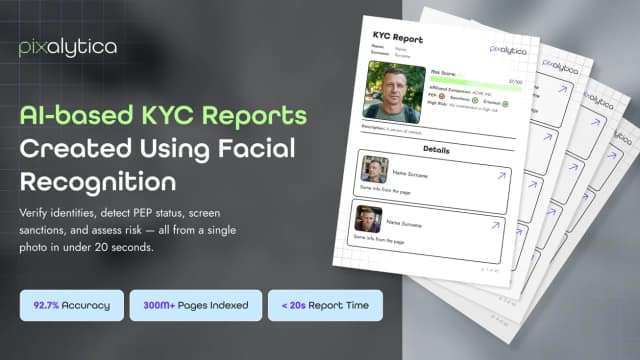
Pixalytica uses facial-image search and public web information to generate identity and risk reports through a web interface or API. Its publisher requires consent or another legal...

PhotoRestore.ai restores scanned photos with scratch repair, sharpening, face enhancement, and colorization. It offers a free trial and credit-based purchases, with expiry rules that...

CertPing combines domain and DNS operations with certificate lifecycle management, external website checks, and brand monitoring. Its metered pricing separates certificate management...

Weavin is an invite-based beta for delegating recurring business tasks to an AI assistant. It provides a work summary and approval inbox, with scheduled runs charged through platform...

Greetings Island Magic invite creates editable invitations from event details and a theme. It supports customization, RSVP links, and print or online sharing, with download and sharing...
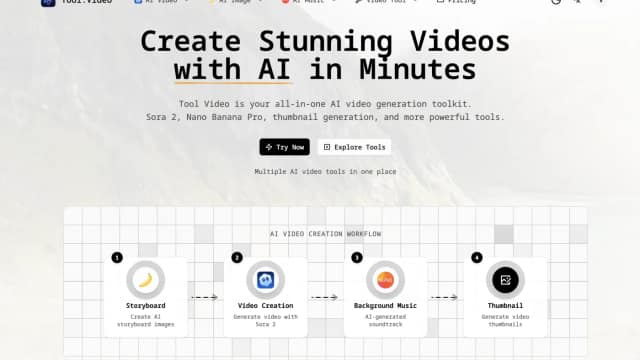
Tool.Video combines third-party generation options with thumbnail extraction, trimming and watermark-adding utilities. Current purchasing is directed to PAMA.

Seedream45.io offers prompt-based image generation and reference-image editing. The site advertises consistent image sets and 4K export, while its documentation remains incomplete.

Remover AI separates image subjects from their backgrounds and exports transparent PNGs. It advertises free browser use and sells credit plans for additional usage.
Start with the job, not the brand. Pick a category, sort by newest to see recent launches, then open a tool page to read what it does, who it suits and where its official website is.
Sign in, choose Submit Tool, paste the tool’s official website, pick a category and add a sentence on what it does. Submitting is instant: it is saved straight away and appears in your submission history, where you can follow it through to its published page.
Yes. Founders and makers are welcome to submit their own tools. Link the official product page rather than a social post or app store listing, so readers land in the right place.
Some are free, many have a free plan, and some are paid only. Each tool page links to the official website, which has the current pricing, because plans and prices change often.
New tools are added every day. Sort by Newest first to see the latest additions, or follow the AI Tools RSS feed to get them as they are published.