
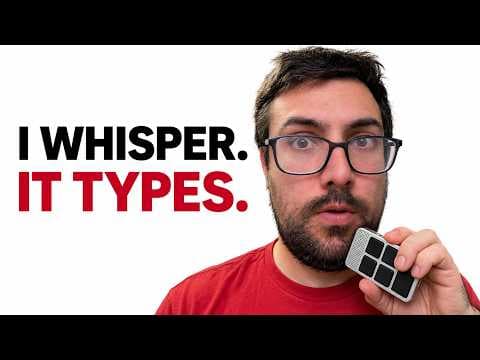
What is this video about?
Genspark Voicepad combines voice dictation and programmable buttons in Franklin AI’s November 24, 2026 hands-on video. The host demonstrates speaking into a small handheld controller, rewriting the resulting text and using its buttons to reach other computer workflows.
What hardware does the video show?
The opening unboxing shows a USB-C cable and an aluminium device with four square buttons, a wider lower button and a microphone. The host describes its weight as 85 grams. Those are observations and specifications presented in the video, rather than a separate Franklin Newsroom hardware test.
The first demonstration uses the wider button for dictation. A spoken message includes filler words and a correction from Thursday to Friday; the result is shown with those cleaned up. Further commands expand the text or change its tone. The host also demonstrates speaking quietly into the microphone, without providing a comparative microphone benchmark.
How are the buttons configured?
The Genspark Super app provides a Voice Pad configuration area. The demonstration moves through suggested actions, application launching and Smart Actions. It shows taps, double taps, holds and combinations of buttons as different triggers.
A meeting-notes example starts recording, then ends and saves it. The host shows a recordings area and describes downloading the audio as an MP3. Another button opens a calendar, illustrating the difference between capturing speech and navigating to the place where it will be used.
Who is the demonstration for?
The practical question is whether physical shortcuts make a person’s existing dictation and app workflows easier to reach. The host argues that individual features can be replicated with other software or hardware, while the attraction of Voicepad is the bundle in one handheld device.
Franklin’s Annotated listing covers a related meeting-transcription workflow when a searchable local record is the main requirement. It does not establish that Voicepad processes recordings in the same way.
What should viewers check before preordering?
The video describes a Kickstarter launch, and its description links to a preorder. Treat that as crowdfunding or preorder availability rather than proof of general retail shipping. The spoken discussion uses different units for the later ongoing allowance, so confirm current campaign terms instead of combining them into one promised entitlement.
The video is a product demonstration and the host’s opinion. It does not establish delivery timing or long-term reliability, which remain separate checks before committing to a campaign.
Primary source: www.youtube.com ↗