

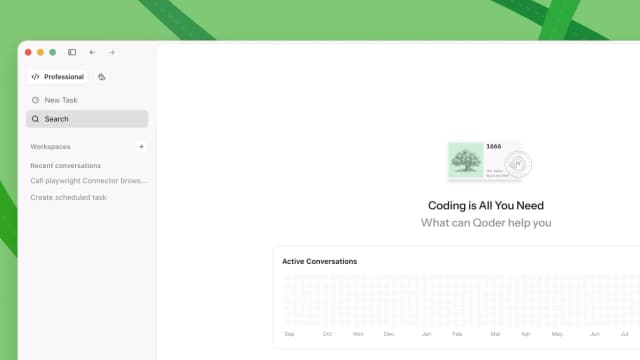
Qoder: AI coding agents for the desktop, IDE and terminal
Qoder offers a desktop app, its own IDE, a JetBrains plugin and a CLI for developers who want to use coding agents in their existing workflow.
easi.run gives AI agents a Chrome session on a Linux server. Users can watch the browser, take over for sign-in and resume saved sessions.
easi.run runs Chrome on a Linux host and lets a person watch the session from a separate browser. An assistant can use that session for a browser task while an operator follows along. The project repository has the server requirements, connection options and instructions for managing sessions.
The useful handoff happens when the next step needs a person. The operator can take over the live browser for a sign-in or a two-factor authentication prompt and return control after completing it. This keeps the credential entry in the browser while allowing the assistant to continue the task from the current page. The session viewer also supports file transfers, audio and the clipboard.
Agents can use the built-in MCP server or call the same tools over REST. The maintainer documents local access when the agent is on the host, SSH access when it is elsewhere and an HTTPS connection with a token for each agent. Saved sessions can be made available to specific agent tokens. That gives teams a way to decide which assistants can resume a session that already has access to a service.
The documented install targets a Linux server running a rootful Docker service with Compose and Buildx. For recurring work, a saved session can restore cookies and preferences when reopened. A site’s own sign-in rules still determine whether those cookies keep the user signed in. easi.run uses a password-derived key to protect the saved browser data.
The repository licenses easi.run under GNU AGPL version 3 and states that the software has no usage fees. Operators provide the server and maintain the deployment.
Before you try it
Yes. Watch the session, take control to complete sign-in or two-factor authentication, then hand the browser back to the assistant.
Official sourceThe documented setup uses a Linux server with a rootful Docker Engine service, Docker Compose and Buildx.
Official sourceYes. The project documents an HTTPS connection with a separate token for each agent.
Official sourceQoder offers a desktop app, its own IDE, a JetBrains plugin and a CLI for developers who want to use coding agents in their existing workflow.

AegisRunner helps teams review website and mobile app test coverage and outcomes. Some generated test execution features remain limited to controlled demos.
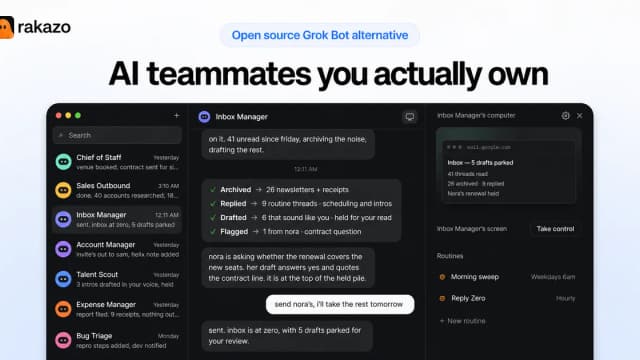
Rakazo gives each assistant its own conversations, memory and routines. Teams can self-host it or use a managed plan and choose when actions require approval.

Airbridge connects ad and creator campaigns with app installs, trials, subscriptions and revenue. Teams can query their measured data in the dashboard or through Airbridge MCP.

OrbiSearch checks business email records and enriches company records. It supports dashboard and API workflows and sells credits on a pay-as-you-go basis.

ReportArk turns an interactive HTML report into a review link with comments anchored to the section, chart or finding under discussion.