

Remaker
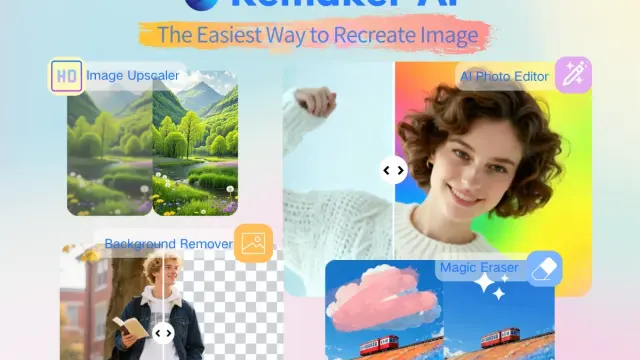
Remaker provides browser image editing and generation tools, with prompt-based edits, brush-selected object changes, and one-time credit purchases.
Photolaria edits uploaded photos with written instructions, with multiple model options, aspect ratios, resolution settings and image history.
Photolaria is a prompt-driven photo editor with image generation and upscaling tools. It lets you describe an edit to an uploaded photograph rather than manually building masks and layers.
The Photolaria homepage accepts JPG, PNG and HEIC files up to 10MB. It says one photo is sufficient, while multiple uploads can combine a person from one image with a scene from another. Prompts can refer to the uploads as image one and image two.
Be explicit about what should change and what must remain. For a background edit, compare the subject's face, clothing and proportions with the original before using the result. Photolaria's examples include clothing changes and object removal, but they do not guarantee that an edit will preserve every detail or reconstruct a scene accurately.
The interface lists model options under several providers' names, with different credit charges. It also exposes aspect ratios and 1K, 2K and 4K resolution choices. Photolaria is the service providing the workspace; the model list should not be read as evidence that those providers operate or endorse the site.
Check the chosen model and total charge before starting a generation. A tool's description of faithful editing or text rendering is a vendor claim. Inspect the actual output at the resolution you will publish, especially around logos, small text and objects that may affect the image's meaning.
Photolaria displays library, saved and bin sections, plus a control to delete images and history across its tools. Its interface says deleted images can remain in the bin for up to thirty days, with guest photos subject to a seven-day expiry. Those visible descriptions are not a complete audit of storage or backup handling.
Review the current terms before uploading confidential or personal photographs. Download an output you intend to retain and check whether a share or saved item exposes it beyond your account. The homepage promotes starting without signup, but that does not establish an unlimited free allowance. Verify current credits and account terms before planning a larger batch, and use source material with appropriate permission.
Before you try it
Yes. Alongside its prompt-based editor, the FAQ describes a dedicated Remove Background model with a one-tap workflow. Other edits start with a written request, such as replacing a background or removing an object.
Official sourceGuest images expire automatically after seven days. An account adds a Library that syncs across devices; the Delete my data control can remove images and generation history from live systems, while short-lived backups expire on their rotation schedule.
Official sourceNot currently. The service's FAQ says it is available through the web app and has no public API for external integrations. Use the browser editor rather than plan an automated API workflow around the site.
Official sourceRemaker provides browser image editing and generation tools, with prompt-based edits, brush-selected object changes, and one-time credit purchases.

PicFixer provides browser-based photo restoration, headshots, image enhancement, signature extraction, and creative image tools with credit-based plans.

Festa is an AI event coordination assistant for text-based guest communication, with documented support for wedding questions, reminders, and RSVP changes.

MNKI supports architectural visualization with sketches, rendering, a free 3D sandbox, team workspaces, and plan-dependent presentations and video.

Emochi is a searchable AI roleplay platform with more than 1 million characters and bots for romance, fantasy, drama, and other conversational scenarios.

GPTImager combines prompt-based image creation, reference edits, version comparison and paid-plan upscaling in an independently operated browser service.