
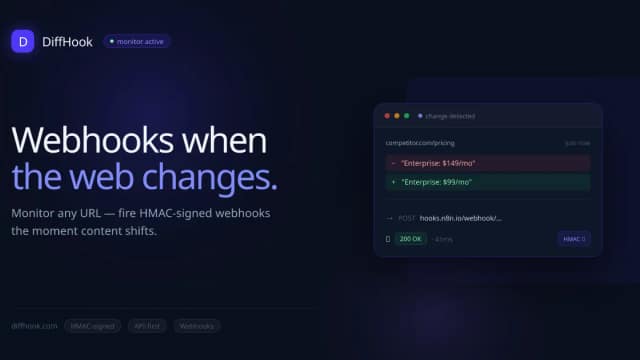
DiffHook
DiffHook monitors public pages, feeds and APIs and sends structured change events to webhooks. Plans set polling intervals, monitor counts and separate lightweight and visual-check...
Find AI tools for work, creativity and everyday tasks. Read what they do before you try them.
DiffHook monitors public pages, feeds and APIs and sends structured change events to webhooks. Plans set polling intervals, monitor counts and separate lightweight and visual-check...

Codewhale, formerly deepseek-tui, is a provider-neutral coding agent with terminal and local-web clients, project editing, command tools and configurable approval boundaries.

TradingAgents is a research-oriented multi-agent financial-analysis project with specialized roles, simulated decisions and explicit data-timing and reproducibility limits.

Brila turns Google Maps or Yelp review patterns into a business website, using customer reasons for choosing the business to guide its messaging.
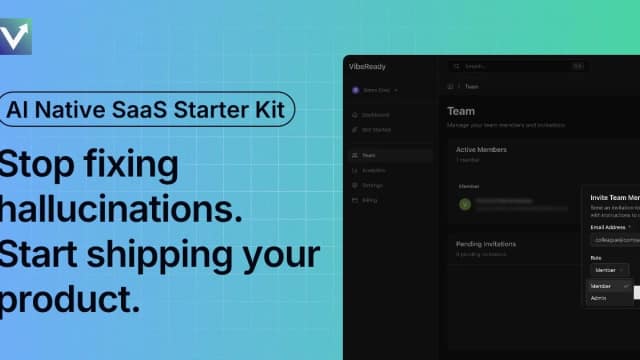
VibeReady is a Next.js SaaS starter with structured AI coding guidance, application services, and user-facing AI agent features.
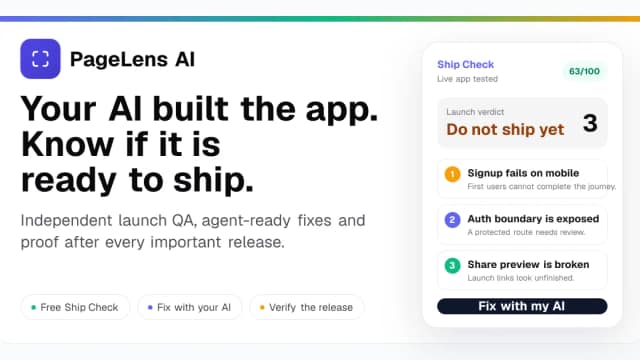
PageLens audits live websites, web apps, app listings, and app-store screenshots to identify launch risks and produce repair guidance.

Zero acts as an intelligent teammate designed to automate complex, multi-step workflows across your existing software stack. By integrating with over 100 applications—including...

What HousePlan does Ditch the hand sketches. HousePlan uses AI to instantly turn your ideas into stunning house plans. Explore endless layouts and visualize your dream home today!

GETGPT Pro is an independent subscription top-up service aimed at Chinese-speaking customers, offering Alipay and WeChat payments. Verify authorization and protect account-session...
Start with the job, not the brand. Pick a category, sort by newest to see recent launches, then open a tool page to read what it does, who it suits and where its official website is.
Sign in, choose Submit Tool, paste the tool’s official website, pick a category and add a sentence on what it does. Submitting is instant: it is saved straight away and appears in your submission history, where you can follow it through to its published page.
Yes. Founders and makers are welcome to submit their own tools. Link the official product page rather than a social post or app store listing, so readers land in the right place.
Some are free, many have a free plan, and some are paid only. Each tool page links to the official website, which has the current pricing, because plans and prices change often.
New tools are added every day. Sort by Newest first to see the latest additions, or follow the AI Tools RSS feed to get them as they are published.