

ExploreClaudeCode
ExploreClaudeCode is a simulated Claude Code project that teaches configuration, extensions, workflows, and CLI concepts through clickable files and annotated examples.
Find AI tools for work, creativity and everyday tasks. Read what they do before you try them.
ExploreClaudeCode is a simulated Claude Code project that teaches configuration, extensions, workflows, and CLI concepts through clickable files and annotated examples.

Hebbrix gives AI applications persistent memory, hybrid retrieval and knowledge graphs, with explicit outcome feedback, hosted MCP access and portable data.

AI image generator and editor powered by Gemini 3.1 Flash Image, with reference-image editing, conversational revisions, multilingual text rendering, and outputs from 512px to 4K.

Accomplish It records career achievements from connected accounts or email updates, rewrites notes, and builds resumes and other career documents.

NBot builds topic trackers, summarizes discovered web content, and lets you refine feeds through chat, with podcasts and usage-based credits.

Triall checks answers through three independent model responses, blind cross-review, and web-source verification, then returns a verdict.
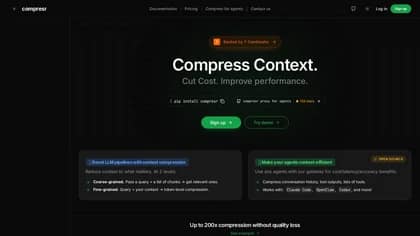
Compresr compresses long LLM context against a query, returning shorter text through hosted SDKs or a private deployment with custom pricing.

Matik connects business data to reusable presentations and documents, adding conditional content, AI insights, data refresh, and scheduled delivery.

Semarize turns conversation transcripts into reusable scored fields and evidence for CRM enrichment, analytics, and automations through an API.
Start with the job, not the brand. Pick a category, sort by newest to see recent launches, then open a tool page to read what it does, who it suits and where its official website is.
Sign in, choose Submit Tool, paste the tool’s official website, pick a category and add a sentence on what it does. Submitting is instant: it is saved straight away and appears in your submission history, where you can follow it through to its published page.
Yes. Founders and makers are welcome to submit their own tools. Link the official product page rather than a social post or app store listing, so readers land in the right place.
Some are free, many have a free plan, and some are paid only. Each tool page links to the official website, which has the current pricing, because plans and prices change often.
New tools are added every day. Sort by Newest first to see the latest additions, or follow the AI Tools RSS feed to get them as they are published.