

AI-Powered Text Feedback Analytics
Thematic organizes feedback from surveys, tickets, calls and reviews into traceable themes. Predicted scores and routed actions need to be checked against source comments and business...
Find AI tools for work, creativity and everyday tasks. Read what they do before you try them.
Thematic organizes feedback from surveys, tickets, calls and reviews into traceable themes. Predicted scores and routed actions need to be checked against source comments and business...
EveChange uses AI and GitHub activity to help product teams create, publish, and promote branded software changelogs.
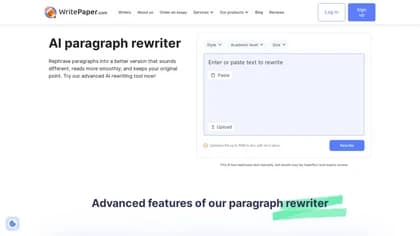
The Paragraph Rewriter by WritePaper is an AI-powered tool designed to refresh and rephrase existing text, offering a quick way to generate alternative versions of your writing. Its key...
Velt is a developer collaboration SDK for adding comments, shared editing and presence to an application. Its documentation also covers AI rewriting and agent review threads; the free...
Wan 2.5 AI Video Generator empowers users to effortlessly create videos from text prompts, leveraging its powerful Wan 2.5 model. This platform offers a suite of AI video creation...

SafeNew is a powerful AI humanizer designed to refine AI-generated text, transforming it into more natural and engaging content. This tool seamlessly converts robotic-sounding text into...

Sideconvo adds a text-and-voice assistant to a website using crawled site content. Owners can manage included pages, conversation instructions and visitor-access rules, then inspect...

EverMind presents EverOS memory infrastructure for AI agents, with multimodal ingestion, stored skills and managed or self-hosted deployment options.

Genaraera generates infographic images from a description and supplied data, with an optional reference-image route. Model resolution and credit charges differ; every generated label...
Start with the job, not the brand. Pick a category, sort by newest to see recent launches, then open a tool page to read what it does, who it suits and where its official website is.
Sign in, choose Submit Tool, paste the tool’s official website, pick a category and add a sentence on what it does. Submitting is instant: it is saved straight away and appears in your submission history, where you can follow it through to its published page.
Yes. Founders and makers are welcome to submit their own tools. Link the official product page rather than a social post or app store listing, so readers land in the right place.
Some are free, many have a free plan, and some are paid only. Each tool page links to the official website, which has the current pricing, because plans and prices change often.
New tools are added every day. Sort by Newest first to see the latest additions, or follow the AI Tools RSS feed to get them as they are published.