

KeyAPI
KeyAPI advertises a unified REST interface for social and commerce data, with structured JSON, expiring trial credits and metered plans.
Find AI tools for work, creativity and everyday tasks. Read what they do before you try them.
KeyAPI advertises a unified REST interface for social and commerce data, with structured JSON, expiring trial credits and metered plans.

PokerBotAI describes automated poker play and real-time advice; its own sources acknowledge account restrictions and do not establish guaranteed profits or platform approval.
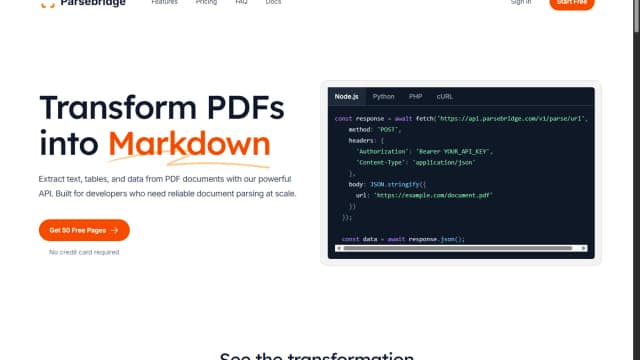
Parsebridge provides a managed PDF-to-Markdown API built on Docling, with page-based credits, a first-page preview and documented failure responses.

Machineko is a place to talk with street cats, presented through profiles showing each cat’s name, age, neighborhood, and short character description.

PaioClaw hosts OpenClaw-based assistants with connected skills, activity logs and managed AI credits; free runtime and paid usage have different limits.

Iridea builds a reusable brand file from your website and campaign brief, then generates ad images and videos. Its credits cover brand setup, delivered assets and subsequent changes.

TonesMatch suggests amp settings, pickup positions and pedal chains for a song using your guitar or bass equipment. Treat its researched-tone claims as guidance to check by listening.

SynthBoard keeps AI decision discussions attached to reviewed business context, with named personas, persistent calls and signed webhook events.

Socialprofiler summarizes public social-media activity into person-focused reports and AI question-and-answer sessions; its inferred interests and risk labels require cautious human review.
Start with the job, not the brand. Pick a category, sort by newest to see recent launches, then open a tool page to read what it does, who it suits and where its official website is.
Sign in, choose Submit Tool, paste the tool’s official website, pick a category and add a sentence on what it does. Submitting is instant: it is saved straight away and appears in your submission history, where you can follow it through to its published page.
Yes. Founders and makers are welcome to submit their own tools. Link the official product page rather than a social post or app store listing, so readers land in the right place.
Some are free, many have a free plan, and some are paid only. Each tool page links to the official website, which has the current pricing, because plans and prices change often.
New tools are added every day. Sort by Newest first to see the latest additions, or follow the AI Tools RSS feed to get them as they are published.