

Seedance20.net
Seedance20.net is a third-party AI video service offering multi-model text, image, reference, and video-to-video generation with a separate API.
Find AI tools for work, creativity and everyday tasks. Read what they do before you try them.
Seedance20.net is a third-party AI video service offering multi-model text, image, reference, and video-to-video generation with a separate API.

Burntop tracks developer AI usage, estimated costs, and model patterns, with community leaderboards and shareable profile statistics.

Loomind is an innovative AI tool that empowers users to effortlessly query their personal knowledge base stored locally. This tool allows you to quickly retrieve information from your...

Skills.sh streamlines the process of managing and installing agent skills, providing a centralized hub for these essential AI components. This tool allows users to easily discover,...

Litmas AI organizes litigation records, links facts to source documents, and supports legal research and drafting with attorney review.

Personify lets marketers interview AI personas to explore messaging and concepts, with clear limits on treating simulated answers as customer evidence.
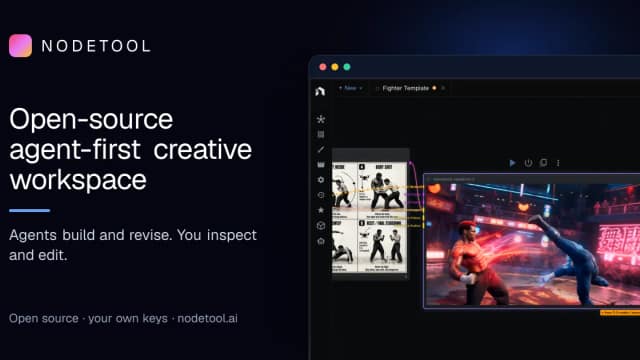
NodeTool combines agents, editable creative projects, and reusable node workflows in a free desktop studio, with a browser edition in alpha.

Livedocs combines AI-assisted analysis, reactive Python and SQL notebooks, and shareable data apps for working with files and databases.

WeryAI offers multi-model image and video generation with editing tools and music generation, paid through plan credits.
Start with the job, not the brand. Pick a category, sort by newest to see recent launches, then open a tool page to read what it does, who it suits and where its official website is.
Sign in, choose Submit Tool, paste the tool’s official website, pick a category and add a sentence on what it does. Submitting is instant: it is saved straight away and appears in your submission history, where you can follow it through to its published page.
Yes. Founders and makers are welcome to submit their own tools. Link the official product page rather than a social post or app store listing, so readers land in the right place.
Some are free, many have a free plan, and some are paid only. Each tool page links to the official website, which has the current pricing, because plans and prices change often.
New tools are added every day. Sort by Newest first to see the latest additions, or follow the AI Tools RSS feed to get them as they are published.