

Koala Inspector
Koala Inspector is a Chrome extension for researching public Shopify storefronts. It shows store technology and product information alongside modeled sales and traffic estimates.
Find AI tools for work, creativity and everyday tasks. Read what they do before you try them.
Koala Inspector is a Chrome extension for researching public Shopify storefronts. It shows store technology and product information alongside modeled sales and traffic estimates.

Handler researches TikTok posts for mobile-app marketing, then helps users adapt formats with reusable AI creators. Research access and rendered videos belong to different plan tiers.

Kimi is Moonshot AI’s AI workspace for research, documents, slides, spreadsheets, coding, browser tasks, and goal-driven agent workflows.

ColoringDaily creates printable line art from text or photos and provides a browsable library, with PDF, SVG, and PNG downloads.
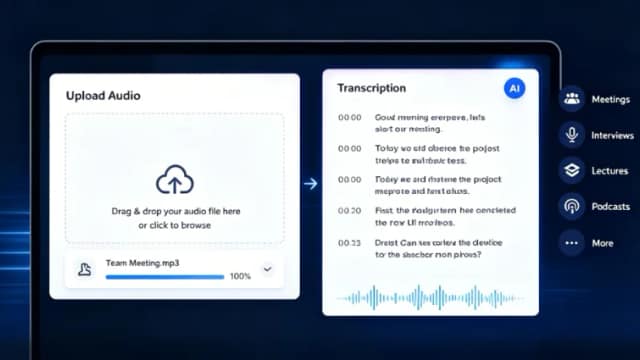
AudioTranscription.io converts recordings and YouTube videos into transcripts, with pay-as-you-go credits and subscription options for larger workloads.

Accent Sherlock asks you to read a fixed passage and guesses an accent on a map. The page says recordings are stored to improve its research model.

ImageWhisperer combines image-forensics checks with source tracing and explanatory analysis, while warning that its verdicts cannot prove a photograph genuine.

Flatkey presents shared access to AI models and pay-per-run tools, with subscriptions, wallet top-ups, and custom enterprise routing and billing.

PersonWise turns a topic or existing slide deck into an interactive course with a digital instructor and voice questions; assessments and learner tracking depend on the plan.
Start with the job, not the brand. Pick a category, sort by newest to see recent launches, then open a tool page to read what it does, who it suits and where its official website is.
Sign in, choose Submit Tool, paste the tool’s official website, pick a category and add a sentence on what it does. Submitting is instant: it is saved straight away and appears in your submission history, where you can follow it through to its published page.
Yes. Founders and makers are welcome to submit their own tools. Link the official product page rather than a social post or app store listing, so readers land in the right place.
Some are free, many have a free plan, and some are paid only. Each tool page links to the official website, which has the current pricing, because plans and prices change often.
New tools are added every day. Sort by Newest first to see the latest additions, or follow the AI Tools RSS feed to get them as they are published.