
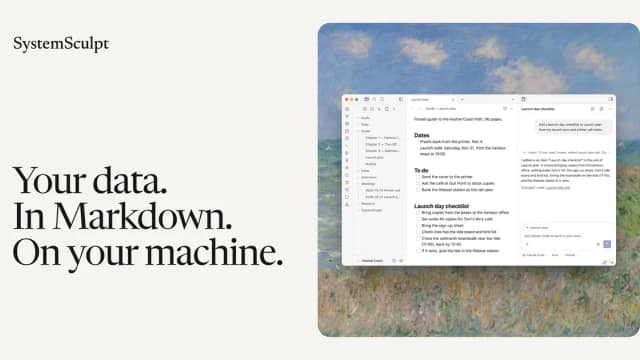
SystemSculpt: AI chats and meeting notes inside an Obsidian vault
SystemSculpt keeps notes and chat artifacts in Markdown, with desktop provider sign-ins and optional hosted AI.
Find AI tools for work, creativity and everyday tasks. Read what they do before you try them.
SystemSculpt keeps notes and chat artifacts in Markdown, with desktop provider sign-ins and optional hosted AI.

An X and LinkedIn publishing tool with per-network plans, draft approval and vendor-described source checks.

A resume builder with job-specific tailoring, scoring and cover letters, with PDF download tied to Pro.
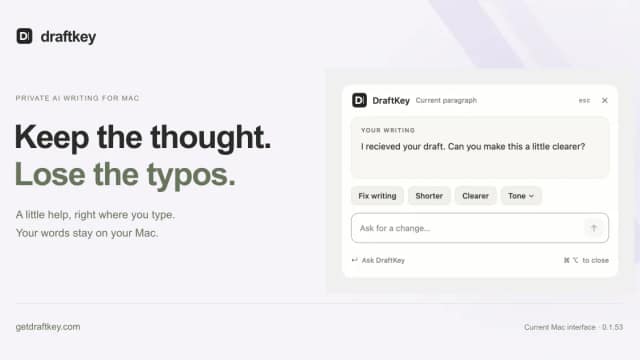
DraftKey adds autocomplete and rewriting to compatible Mac text fields. A paid licence, downloaded model and supported Apple Silicon Mac are required; review runtime privacy claims and...

A film-development workspace keeps planning cards, dialogue, visual references and candidate locations together.
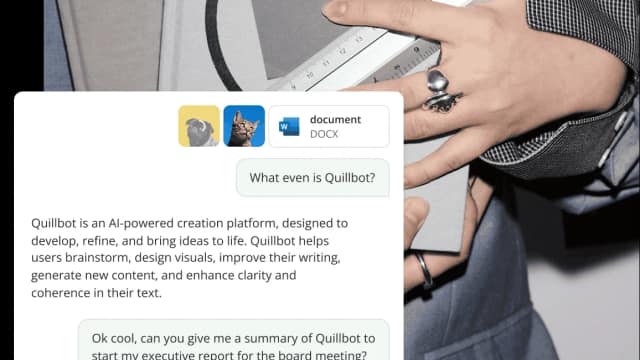
QuillBot combines paraphrasing, grammar checking and summaries with chat, document and design tools; output quality, originality and current feature allowances still need review.

ScholarSail combines document libraries, editable mind maps, AI-assisted flashcards, spaced-repetition review and collaborative study planning in one workspace.

ML.ai is a repository-aware coding agent with task routing, reviewable edits, background sessions, and project skills; its official pages give conflicting availability and pricing details.

WZRD creates slides, forms, sheets and documents from an idea, or turns an existing file into an interactive experience that people can explore and question.
Start with the job, not the brand. Pick a category, sort by newest to see recent launches, then open a tool page to read what it does, who it suits and where its official website is.
Sign in, choose Submit Tool, paste the tool’s official website, pick a category and add a sentence on what it does. Submitting is instant: it is saved straight away and appears in your submission history, where you can follow it through to its published page.
Yes. Founders and makers are welcome to submit their own tools. Link the official product page rather than a social post or app store listing, so readers land in the right place.
Some are free, many have a free plan, and some are paid only. Each tool page links to the official website, which has the current pricing, because plans and prices change often.
New tools are added every day. Sort by Newest first to see the latest additions, or follow the AI Tools RSS feed to get them as they are published.