

Text Generator- WPS.com
WPS AI Text Generator turns a short idea into a draft with output-length and reader-age settings. Review the result before copying it into work, study or everyday writing.
Find AI tools for work, creativity and everyday tasks. Read what they do before you try them.
WPS AI Text Generator turns a short idea into a draft with output-length and reader-age settings. Review the result before copying it into work, study or everyday writing.

Veluvanto functions as an intelligent document management system designed to centralize scattered files and streamline information retrieval. By processing uploaded documents, the tool...

VideoDB organizes video for visual-AI development: search failed runs, retrieve relevant episodes, add sources, annotate with human quality control and evaluate the next model.
Kinetik is a messenger-based assistant for social-media research, account insights, writing, creator discovery and recurring tasks, with a described Notion capture workflow.
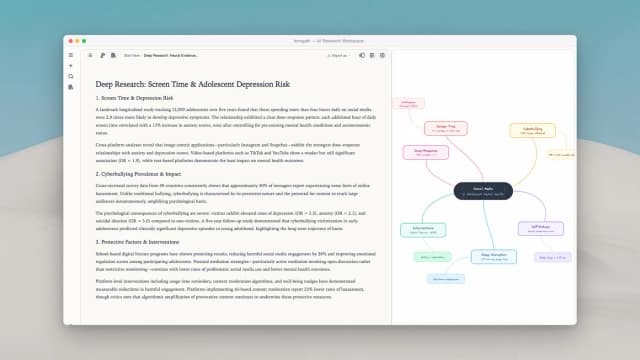
Innogath organizes cited research reports, follow-up branches, editable diagrams and source-linked notes in a connected project workspace.

TomeApp.ai creates and redesigns editable slide decks from prompts or source material, with browser review, speaker notes and credit-based subscription plans.
Clarami connects research drafts with a source library, passage-level citations and claim checks, with export options and conflicting plan-limit descriptions to verify.
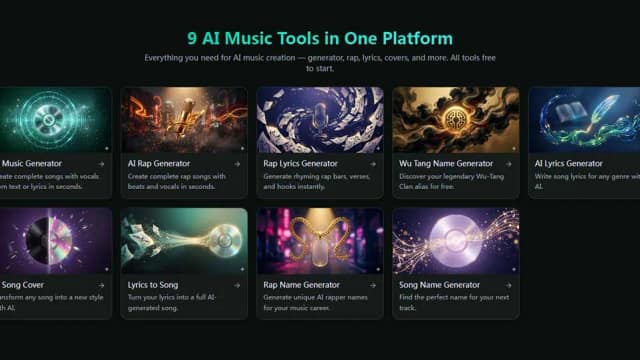
Melodycraft combines browser-based song and rap generation with lyric, cover, and music-naming tools. Song generation uses paid credits.

ClipMake transforms raw product assets into authentic, user-generated-style video advertisements. By streamlining the creative process, the tool allows brands and marketers to produce...
Start with the job, not the brand. Pick a category, sort by newest to see recent launches, then open a tool page to read what it does, who it suits and where its official website is.
Sign in, choose Submit Tool, paste the tool’s official website, pick a category and add a sentence on what it does. Submitting is instant: it is saved straight away and appears in your submission history, where you can follow it through to its published page.
Yes. Founders and makers are welcome to submit their own tools. Link the official product page rather than a social post or app store listing, so readers land in the right place.
Some are free, many have a free plan, and some are paid only. Each tool page links to the official website, which has the current pricing, because plans and prices change often.
New tools are added every day. Sort by Newest first to see the latest additions, or follow the AI Tools RSS feed to get them as they are published.