

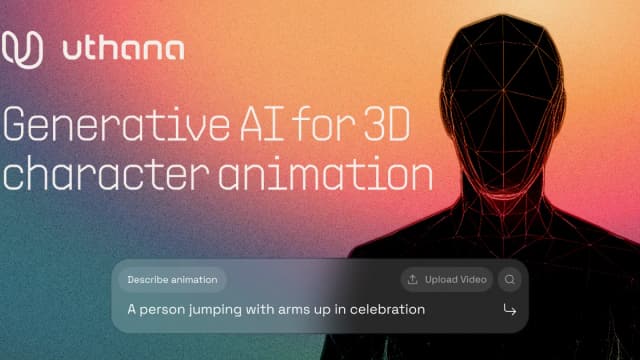
Uthana
Uthana generates and extracts editable 3D human motion, retargets it to characters or robots, and offers pay-as-you-go creation and scoped motion datasets.
VideoDB organizes video for visual-AI development: search failed runs, retrieve relevant episodes, add sources, annotate with human quality control and evaluate the next model.
VideoDB builds video-data infrastructure for teams training and deploying visual AI. Its public workflow starts with finding where a model fails, then retrieving or collecting relevant video, annotating it and testing a revised model. The product is aimed at working with visual datasets and model runs, rather than producing a social-media clip from a prompt.
The VideoDB product page describes annotating and indexing test runs as they finish. Search agents locate moments where the model failed and group them by cause, giving the team a starting point for deciding which problem to investigate.
The next step is searching existing datasets in plain language. The site describes matching episodes by task, objects and lighting, with ranked results and frames. A useful evaluation query should describe the failure condition you need to study, so you can judge whether the retrieved episodes actually show it.
When an archive does not contain suitable examples, VideoDB describes adding partner datasets, targeted collection or live runs and cameras to the pipeline. That connects retrieval with the work of expanding a training set instead of leaving the team with an unanswered search.
Its annotation workflow runs models as analyzers over episodes and sends low-confidence labels to human reviewers with the clip attached. Check how reviewers resolve uncertain labels for your task, especially when a training decision depends on a brief event or a difficult-to-see object.
The publisher then describes feeding new samples into training and running the updated model against the same tests. Keeping the evaluation consistent helps a team compare revisions without mistaking a changed test set for an improvement.
The homepage reports 73.1% Recall@1 for a video-retrieval technical report, compared with 65.8% for a commercial video-native engine, across 9,834 queries from four public datasets. It also reports a 28.9% semantic F1 result at IoU 0.5 for a WGO-Bench annotation pipeline. These are publisher-reported results for specified evaluations, not a guarantee for your own archive.
The site separately discusses ground-truth problems in video retrieval, including labelled time windows that may be narrower than matching clips. Review the evaluation definition as well as the headline score. Before adopting the infrastructure, confirm ingestion requirements, access controls, pricing and reviewer responsibilities for your dataset; those details are not established by the retrieved homepage.
Before you try it
VideoDB uploads or streams video, indexes what happens and returns relevant moments for an agent’s question. Its homepage demonstration also compiles retrieved moments into a new clip; that example illustrates the workflow rather than guaranteeing performance on every recording.
Official sourceNo. VideoDB documents Claude integration, other MCP clients and SDK access from code. The remote MCP path uses a login on first use, while the code path has Python and JavaScript packages.
Official sourceNo. Its indexing description also covers cameras, screens and live streams, with tasks retrieving the frames they need from an accumulating index. Deployment options include major cloud providers or a customer’s own cloud.
Official sourceUthana generates and extracts editable 3D human motion, retargets it to characters or robots, and offers pay-as-you-go creation and scoped motion datasets.


Innogath organizes cited research reports, follow-up branches, editable diagrams and source-linked notes in a connected project workspace.