

Opus Clip: AI Video Shortener
Opus Clip Transform long videos into engaging short clips with Opus Clip's intelligent AI. Tired of spending hours trimming and editing videos? Opus Clip automatically identifies the...
Find AI tools for work, creativity and everyday tasks. Read what they do before you try them.
Opus Clip Transform long videos into engaging short clips with Opus Clip's intelligent AI. Tired of spending hours trimming and editing videos? Opus Clip automatically identifies the...

Viggle AI Tired of static images and one-dimensional content? Viggle AI empowers you to create captivating character animation videos with ease. Simply provide text prompts, and watch...

Microsoft Copilot Copilot revolutionizes your online experience by acting as a dynamic research assistant, planner, and creative partner. Harness the power of AI to efficiently gather...

Gemini Apps is Google’s conversational workspace for drafting, explanations and file-based tasks. Signed-in access adds features, while temporary chats have specific limitations and are...

Claude is Anthropic’s conversational assistant on the web, desktop and mobile, with selectable models and effort settings. Free usage has a variable session allowance rather than a...

Face Index Face Index revolutionizes online identity verification and information retrieval by enabling comprehensive face-based searches across a vast range of sources. Whether you...

ChatPDF ChatPDF is a revolutionary AI tool that transforms the way you interact with PDF files. Tired of tedious document reading and manual data extraction? ChatPDF empowers you to...
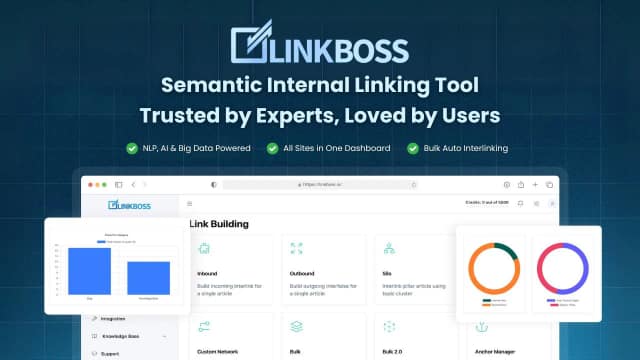
LinkBoss audits internal-link structure and proposes links using semantic matching. It can insert existing anchors, rephrase text or add context; CMS support, credit consumption and...

Fantasy Football Fix is an AI-assisted Fantasy Premier League toolkit offering transfer recommendations, ChatFPL, team planning, projections and player data.
Start with the job, not the brand. Pick a category, sort by newest to see recent launches, then open a tool page to read what it does, who it suits and where its official website is.
Sign in, choose Submit Tool, paste the tool’s official website, pick a category and add a sentence on what it does. Submitting is instant: it is saved straight away and appears in your submission history, where you can follow it through to its published page.
Yes. Founders and makers are welcome to submit their own tools. Link the official product page rather than a social post or app store listing, so readers land in the right place.
Some are free, many have a free plan, and some are paid only. Each tool page links to the official website, which has the current pricing, because plans and prices change often.
New tools are added every day. Sort by Newest first to see the latest additions, or follow the AI Tools RSS feed to get them as they are published.