


iSummarizer
iSummarizer condenses pasted text, documents and web articles into reusable summaries. Purchases are non-expiring credit packs; text and file requests use different billing units, and every recap still needs source checking.
AISummarizer.ai condenses pasted text and uploaded documents, with copy or text-download output and a displayed per-summary credit charge.
AISummarizer.ai is a document-summary workspace for pasted text, Word files, PDFs, presentations and article content. Its homepage describes identifying a document's main points and producing a shorter overview. Use that overview to orient your reading, then return to the original for claims that affect a decision.
The publisher lists Word .doc and .docx, PDF and PowerPoint .pptx support alongside plain text. The visible text editor shows a ten-thousand-character counter. That interface limit deserves checking against the page's broader claim that it handles material of any length.
Start with a document whose structure you understand. If you paste only part of a report, keep enough surrounding text to preserve the author's conditions and qualifications. A summary of an excerpt cannot represent sections the service never received. Check that the uploaded or pasted content contains the material you intended before generating.
The site offers copying the result or downloading it as a text file. It describes a context-aware process rather than selecting isolated keywords, but that is a publisher claim about the system's behavior. Generated prose can still omit a caveat or change the force of a statement.
For a research paper, compare the summary's conclusion with the actual findings and limitations. For a business report, check numbers and the period they describe. Preserve a reference to the source file so someone reading the overview can inspect the passage behind an important assertion. A concise result is useful only when its omissions suit the purpose.
The workspace displays a fifteen-credit charge on its Generate Summary button. Confirm the current balance, file limits and charge before planning a series of documents; the homepage does not provide a complete paid-plan schedule.
The publisher says uploads use HTTPS and are deleted after processing, with no permanent storage. Review the applicable privacy terms before supplying confidential files rather than treating the marketing phrase privacy safe as an independently verified guarantee. Use a nonsensitive test document first, and keep original reports available instead of relying on a summary as your only record.
Before you try it
Neither. Its FAQ describes one-time purchases without auto-renewal and a three-month validity period. The pricing page also currently displays a payment-maintenance notice. Check availability and expiry before planning to buy credits for a future project.
Official sourceThe FAQ lists plain text, Word, PDF, PowerPoint and article content. The visible text editor has a 10,000-character counter; do not infer an unlimited text-input allowance from the broader any-length marketing claim. Check each upload tool's actual limits.
Official sourceYes. The workflow offers clipboard copying and text-file downloads. Keep the original document with your saved recap and check important facts, quotations and qualifications before reusing it; an automatically condensed summary can omit context.
Official sourceiSummarizer condenses pasted text, documents and web articles into reusable summaries. Purchases are non-expiring credit packs; text and file requests use different billing units, and every recap still needs source checking.

UPDF AI helps readers summarize, translate and question PDFs, search papers and build mind maps. Its app and browser offering share account allowances, while editing and signing products have separate plan scope.

World Monitor brings news, maritime traffic, aviation, markets and country-risk signals onto a map, with source-attributed briefs and documented integration limits.

Google Workspace combines business email and collaborative documents with plan-dependent Gemini features, storage and administrative controls.

Fundraising support for startup founders combining investor matching, warm-introduction discovery, targeted outreach, and guidance on fundraising materials and strategy.
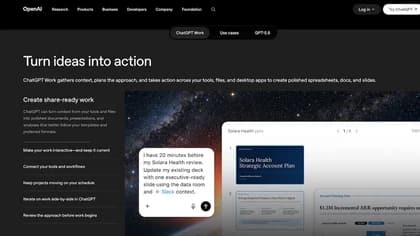
ChatGPT Work is a team-focused ChatGPT workspace for creating business deliverables, collaborating on shared context, connecting tools, and automating recurring tasks.