
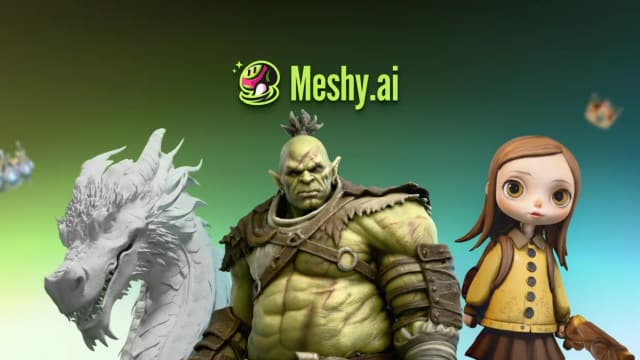
Meshy
Meshy generates 3D models from text and images, with tools for texturing, rigging, animation, and preparing exports for games or printing.
Image-to-3d.ai generates textured or geometry-only models from images and text, with browser previews and editable GLB export.
Image-to-3d.ai converts a reference image into a generated 3D asset and also offers text-to-3D. Its publisher describes a browser-based process with previews and editable GLB export. The intended uses include game prototypes, product visualization and preparation for 3D printing, but a generated asset still needs inspection for its destination.
The service accepts JPG, PNG and WebP images, according to its FAQ. It recommends a complete subject with a clear silhouette, balanced lighting and an uncluttered background. These are useful selection rules for a test because the model has to infer geometry that may not be visible in a single photograph.
Choose a reference you have permission to upload and start with one object. Inspect the generated asset from several angles instead of judging it only from the original viewpoint. Check proportions and edges against the reference, including areas the input did not show. The site's reconstruction and precision language is a publisher claim, not a measured accuracy result from Franklin.
Image-to-3d.ai offers textured meshes with UV mapping and geometry-only models. The publisher positions geometry-only output for editing or retopology, while textured output suits visual previews. Select the mode based on what the next application needs rather than assuming one output is ready for all uses.
Export requirements also help distinguish services. Meshy's export options include FBX, GLB, OBJ, USDZ, STL and 3MF across its documented workflows. Image-to-3d.ai's inspected page specifies editable GLB files and online format conversion. Confirm the exact destination format before building a larger asset batch; this comparison does not establish equivalent geometry quality.
For a printing project, inspect the exported model in the software used to prepare the print. For a game prototype, load it into the intended engine and assess whether its mesh and materials fit the project. The publisher's ready-to-print or game-ready descriptions do not replace those checks.
The page advertises free use, while its FAQ describes a free trial. The inspected material does not give a complete recurring allowance or paid-plan price. Check the current generator and account terms before assuming repeated generation is free.
The FAQ says uploaded material and models are not shared publicly, but its copyright answer uses the qualification that users retain rights in most cases. Neither statement establishes a universal privacy or commercial-use guarantee. Read the applicable terms for the service and source material before uploading confidential product designs or delivering an asset to a client.
Before you try it
The site describes both textured meshes with UV mapping and geometry-only output. It also lists editable GLB exports and online format conversion. Choose the output for the next step in your workflow, then inspect geometry and textures before using the result in a game, print or production asset.
Official sourceNo. The pricing page explicitly separates one-time credits from subscription features. Packs provide additional generation credits, while subscribers receive a recurring monthly allowance. Compare the required export, material and model options before assuming that a larger credit balance includes the same features as a subscription.
Official sourceIts payment FAQ says free-plan models use CC BY 4.0, with attribution required, while paid subscriptions have the publisher's stated commercial-use rights. It also requires that input materials respect others' intellectual property. Check the applicable terms and your source image before treating an output as cleared for a client project.
Official sourceMeshy generates 3D models from text and images, with tools for texturing, rigging, animation, and preparing exports for games or printing.
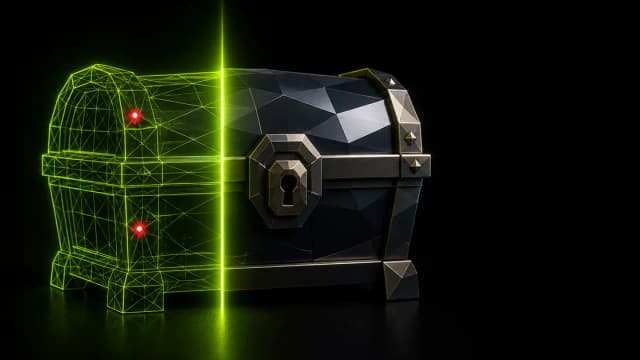
MeshRefinery diagnoses and repairs 3D meshes, with browser-local core tools, format conversion, and paid deep repair or image-to-3D generation.

NewApi 是面向团队的开源 AI API 网关,可通过统一的 OpenAI 兼容接口管理 40+ 上游供应商、模型渠道、密钥、配额和用量。

SoonLab generates playable browser-game prototypes from prompts, then lets creators test and refine them through follow-up instructions.

BookCoversLab pairs AI cover artwork with KDP wrap calculations and print-PDF export, using separate generation and final-export credits.

OminiGate provides compatible model APIs behind one prepaid balance, with automatic routing, optional provider pinning and documented transcription endpoints.