

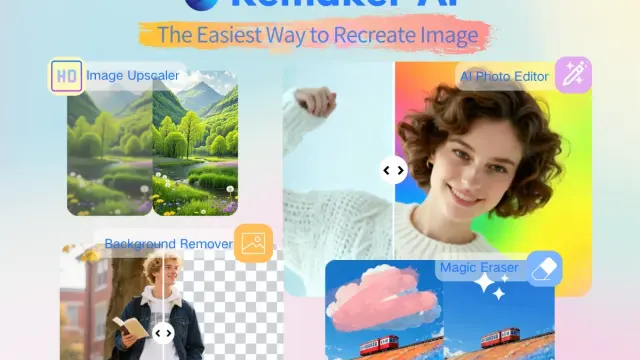
Remaker
Remaker provides browser image editing and generation tools, with prompt-based edits, brush-selected object changes, and one-time credit purchases.
PNG Maker generates transparent PNG images from text prompts with selectable styles, aspect ratios, and resolutions.
PNG Maker is an AI-powered image generator for creating transparent PNG graphics from text prompts. It is designed for users who need ready-to-use visual assets without manually removing backgrounds.
PNG Maker turns a written description into a PNG image with a transparent background. Users describe the subject, choose generation settings, and download the resulting file. The service says prompts do not need to mention transparency or file format because background removal and PNG export are handled automatically.
The tool supports several visual styles, including kawaii, 3D cartoon, flat illustration, and pixel art. It also offers 1:1, 4:3, 3:4, 16:9, and 9:16 aspect ratios, along with 1K, 2K, and 4K resolution options. An Auto style option allows users to describe a preferred look directly in the prompt.
PNG Maker is aimed at creators, developers, designers, businesses, and other users who need transparent image assets. The site highlights use cases such as YouTube thumbnails and overlays, SaaS illustrations and feature icons, ecommerce promotional graphics, social media stickers, UI/UX assets, and indie game characters or items.
A typical workflow is to describe the desired subject in clear language, select a style or use Auto, choose an aspect ratio and resolution, and generate the image. The downloaded PNG can then be placed over another background or used in design, marketing, content, and product materials. The service states that generated images may be used commercially and modified for business projects, marketing campaigns, and product designs.
Users can also browse a gallery of user creations and explore free PNG downloads. For ongoing use, PNG Maker offers subscription plans with monthly credits and generation allowances; details are listed on its pricing page. The pricing information states that users can receive 10 free credits daily by checking in, while paid credits have stated validity periods.
The main strength is a focused workflow for producing transparent PNG assets rather than general-purpose images that require separate background removal. Multiple styles, proportions, and resolutions provide control over common output formats. However, the service states that generated content may be publicly accessible by default, so users handling confidential work need to consider the available privacy setting. Generation and background-removal allowances also vary by plan, and credits are used for image creation.
Before you try it
The product FAQ says you only need to describe the subject. It handles background removal and exports a transparent PNG automatically, rather than requiring file-format or transparency instructions in every prompt.
Official sourceNo. Its FAQ says generated content may be publicly accessible by default. Paid users can enable private mode. Check that setting before generating material you do not want in a public collection.
Official sourceYes. Select Auto and describe the desired style in the prompt. The page gives ink painting and cyberpunk lighting as examples, allowing custom direction beyond its kawaii, cartoon, flat-illustration and pixel-art presets.
Official sourceRemaker provides browser image editing and generation tools, with prompt-based edits, brush-selected object changes, and one-time credit purchases.

Canva's native image generator creates visual options from prompts or reference photos, with editor workflows, plan-based AI allowances and rights qualifications.
krea2ai.com offers prompt-based image creation and reference-photo editing, with credit-based plans and several output formats.
Design.com's AI Presentation Maker generates slide-design options from business details, with visual editing and paid high-resolution downloads.

PicCreator creates images from prompts and edits uploaded photos, with portrait adjustments and product-image concepts among its advertised uses.

VideoSwap offers face and character replacement, motion transfer and video stylization, with per-second credit charges and conflicting plan allowances to check.