
Submitted by:
Transcribe Meetings & Generate Files with AI on TicNote Cloud
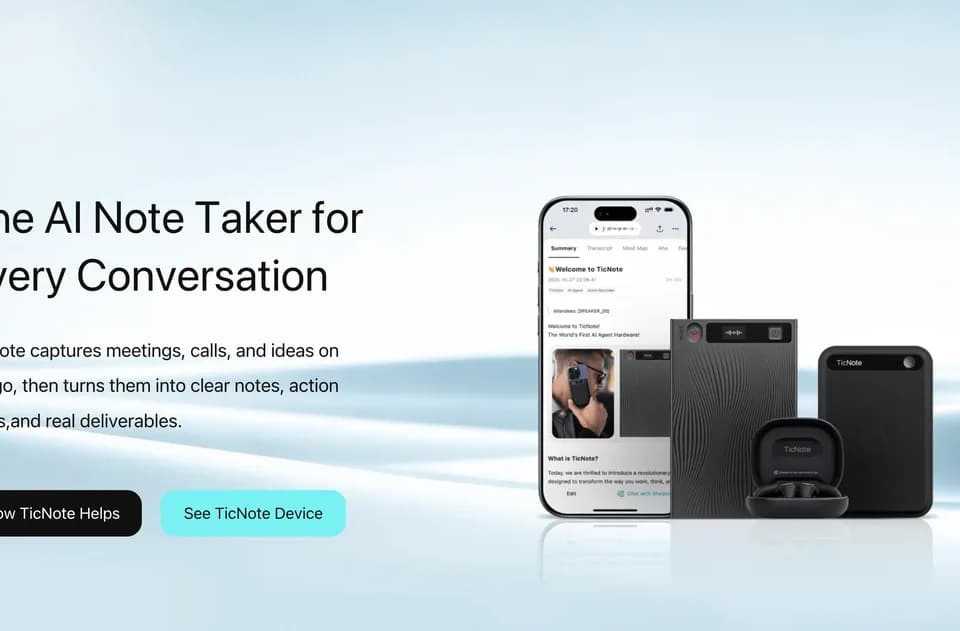
TicNote Cloud is an AI meeting recorder and transcription workspace that captures conversations, converts them to text, and produces summaries and action items. It can be used with online or in-person meetings without requiring a meeting bot to join the call.
What it does
TicNote Cloud records meeting audio and provides real-time voice-to-text transcription. According to TicNote, its transcription supports more than 120 languages, while live voice translation is available across more than 17 major languages. After a meeting, the service can generate summaries and highlight actionable next steps.
Recordings can be made through the cloud service or with TicNote AI note-taking devices described on the company’s website. The meeting recorder is presented as compatible with platforms such as Zoom, Microsoft Teams, and Google Meet, as well as in-person conversations. Users can also install a Chrome extension to start recording.
Notable capabilities
- Real-time meeting transcription and voice-to-text capture.
- AI-generated summaries and key action items after calls.
- Translation during conversations across more than 17 major languages, with transcription in more than 120 languages.
- Search across previous recordings, conversations, decisions, and details using Shadow AI, TicNote’s stated AI assistant.
- Export recordings and meeting notes as PDF, Word, or MP3 files.
Who it helps
The product is aimed at people who need a record of meetings without continuously typing notes. It may fit sales and customer-success teams documenting calls, product and design teams reviewing feedback, engineering teams tracking decisions, and international teams working across languages. Its support for in-person recording also makes it relevant to meetings that do not take place in video-conferencing software.
How it fits a workflow
A typical workflow is to start a recording, let TicNote produce a live transcript, and review the generated summary and action items afterward. Teams can then search earlier conversations for specific details or export the transcript, recording, or notes for editing, reporting, or playback. This positions the tool as a meeting capture and follow-up layer rather than only a transcription utility.
Strengths and limits
TicNote states that recordings, transcripts, and summaries are private by default, encrypted in transit and at rest, and processed on-device when possible. It also says users control what is saved, synced, exported, or deleted. The no-bot approach can be useful for meetings where adding an automated participant is undesirable. However, the supplied product information does not establish independent transcription-accuracy benchmarks, detailed retention policies, or the availability of every capability on every device and plan.
