

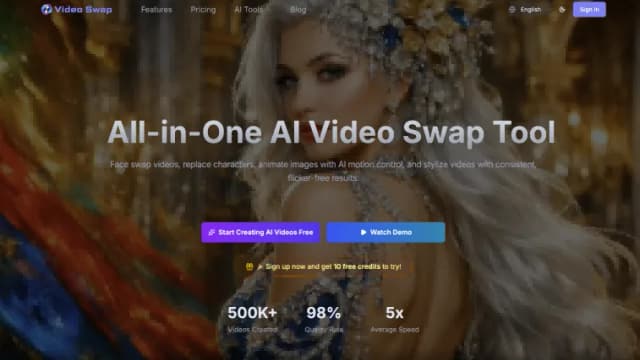
Videoswap.app
VideoSwap offers face and character replacement, motion transfer and video stylization, with per-second credit charges and conflicting plan allowances to check.
PhotoGenerator.ai creates images from prompts, edits uploaded photos with instructions, and advertises upscaling for portraits, products, and other visual concepts.
PhotoGenerator.ai is a browser-based image generator and editor. Its publisher describes three main operations: creating an image from a prompt, changing an uploaded photograph, and increasing image resolution. The service presents portrait, product, group, and themed-photo use cases.
The stated workflow starts with a description or an uploaded image, followed by model and style selection. Users can ask for a new scene or request changes such as a different background, restyling, or retouching.
An edited product photo needs checking against the actual product. Small changes to a label, shape, or material can make a visually plausible image inaccurate for a listing. Likewise, review a portrait for unwanted changes to the subject's likeness. Franklin has not tested the service's editing fidelity or each advertised model.
The publisher advertises enlargement up to 4K with sharpening and noise cleanup. It describes reconstructed textures in faces, hair, and edges, which means the result may contain inferred detail rather than information recovered from the original photograph.
That can be useful for a creative presentation, but an enhanced image should not be treated as evidence of an unreadable detail in an archival or documentary source. Compare the output with the original and keep the source file. The site's quality and speed descriptions are vendor claims, not independent benchmark results.
PhotoGenerator.ai says it runs on desktop and mobile browsers without an app download. It describes a free starting option and account creation for generating and saving photographs, with signup advertised as unlocking more models, higher resolution, and faster generation. Check the current account's limits rather than assuming unlimited access.
The publisher says generated photos may be used for personal and commercial projects subject to its terms. That condition does not eliminate rights in an uploaded photograph or a person's likeness. Review the current license and obtain appropriate permission for source images before producing client assets. The homepage does not provide a complete pricing schedule.
Before you try it
Yes. The page lets you upload a photo and describe a change, such as replacing a background, restyling it or retouching details. It also offers text-to-photo generation. Inspect identity, product details and other important features after editing rather than assume the result preserves them exactly.
Official sourceNo. The pricing comparison lists different image and video estimates for different models from the same credit balance. The headline up-to counts are alternatives, not separate pools to total together. Confirm the selected model's credit cost and the actual monthly or annual billing option.
Official sourceThe publisher says it runs in a desktop or mobile browser without an app download. You can browse examples without an account, but generating and saving your own photos requires an account. The homepage lists a limited monthly Free credit allowance alongside paid upgrades.
Official sourceVideoSwap offers face and character replacement, motion transfer and video stylization, with per-second credit charges and conflicting plan allowances to check.
Pikvee is an independent image-generation service for prompts and reference images, with plan-specific credits and annual allowances issued monthly.

PicCreator creates images from prompts and edits uploaded photos, with portrait adjustments and product-image concepts among its advertised uses.

PNG Maker generates transparent PNG images from text prompts with selectable styles, aspect ratios, and resolutions.
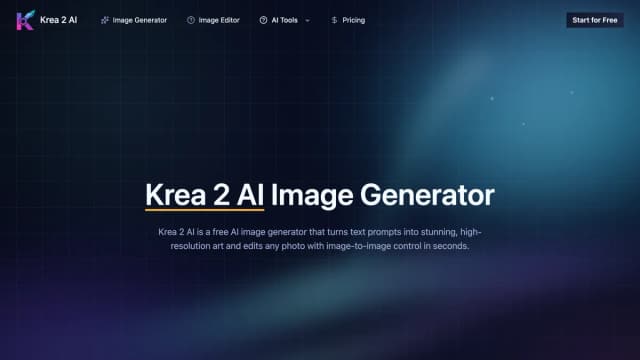
krea2ai.com offers prompt-based image creation and reference-photo editing, with credit-based plans and several output formats.

Design.com's AI Presentation Maker generates slide-design options from business details, with visual editing and paid high-resolution downloads.