

Miko brings self-hosted coding agents into team conversations
Miko connects issues and team messages to coding agents, runs tasks in separate Git worktrees and returns progress and pull requests for review.
Find AI tools for work, creativity and everyday tasks. Read what they do before you try them.
Miko connects issues and team messages to coding agents, runs tasks in separate Git worktrees and returns progress and pull requests for review.
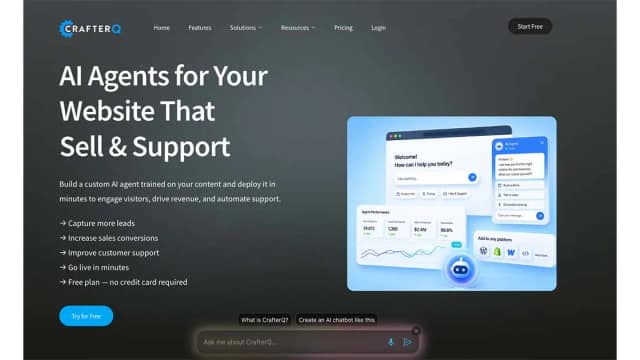
CrafterQ turns website pages, documentation and uploaded knowledge into a conversational assistant that can answer visitor questions and guide next steps.

Lispa coordinates agents around a repository task, with visible changes, checks and usage before a team decides what ships.

Tale combines task boards, agent delegation, files and review in an open-source workspace with self-hosting options.

Kynage organizes agent work around repositories, scoped tickets, common instructions and retained project knowledge.

Combine a shared messaging inbox, conversation flows and AI replies with booking, orders and documented CRM integrations.

Omnia's built-in agent combines citation data, web research and connected marketing tools, with approval required for public actions.

Generate social drafts from brand documents, schedule posts and connect publishing to developer workflows through a CLI, REST API or MCP.

ClariLayer stores selected decisions and rules with their sources and scope, so compatible AI clients can reuse work context without importing all conversation history by default.
Start with the job, not the brand. Pick a category, sort by newest to see recent launches, then open a tool page to read what it does, who it suits and where its official website is.
Sign in, choose Submit Tool, paste the tool’s official website, pick a category and add a sentence on what it does. Submitting is instant: it is saved straight away and appears in your submission history, where you can follow it through to its published page.
Yes. Founders and makers are welcome to submit their own tools. Link the official product page rather than a social post or app store listing, so readers land in the right place.
Some are free, many have a free plan, and some are paid only. Each tool page links to the official website, which has the current pricing, because plans and prices change often.
New tools are added every day. Sort by Newest first to see the latest additions, or follow the AI Tools RSS feed to get them as they are published.