
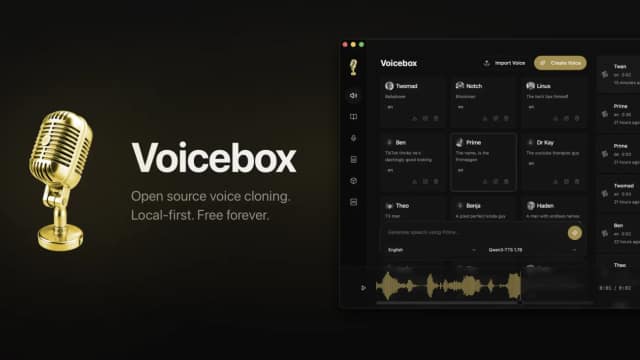
VoiceBox
Voicebox is an open-source desktop voice studio with local speech generation, voice cloning, dictation and agent speech controls. Optional cloud plans are not yet available.
Find AI tools for work, creativity and everyday tasks. Read what they do before you try them.
Voicebox is an open-source desktop voice studio with local speech generation, voice cloning, dictation and agent speech controls. Optional cloud plans are not yet available.
OpenMontage is an open-source video-production toolkit operated by a coding assistant. It combines staged production instructions, local rendering and optional media providers with...
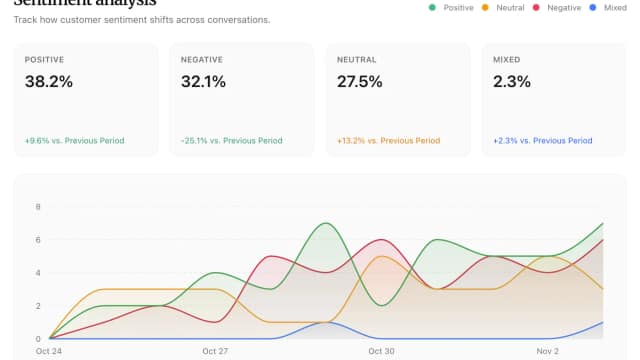
Diaform uses AI agents to run customer conversations by voice or text, with follow-up questions and response analysis. Plans meter AI messages, projects and team seats separately.

Sendmux CLI gives developers terminal access to email management, mailbox and sending APIs. OAuth scopes and owner approval control access; registering an agent inbox does not grant...

Wery organizes creative work around specialist AI roles, including directing, video, music and documents. Its homepage describes planning, reusable assets and project context, without...

Dedoctive combines curated knowledge, source provenance and human-reviewed AI workflows for document-heavy decisions. Traceability helps reviewers inspect an answer; it does not...

Sarvam offers language-focused AI APIs, voice agents and enterprise agent deployments. Its homepage lists Indic speech, translation and document-processing capabilities with several...

Loopa presents an AI-agent workspace for research, documents, generated media and connected workflows. Its published examples need task-by-task checking; the captured page does not...

Buda is a cloud workspace for teams of AI agents with persistent files, tools and scheduled tasks. Plans distinguish basic agent chat and drives from browser, terminal and Git access.
Start with the job, not the brand. Pick a category, sort by newest to see recent launches, then open a tool page to read what it does, who it suits and where its official website is.
Sign in, choose Submit Tool, paste the tool’s official website, pick a category and add a sentence on what it does. Submitting is instant: it is saved straight away and appears in your submission history, where you can follow it through to its published page.
Yes. Founders and makers are welcome to submit their own tools. Link the official product page rather than a social post or app store listing, so readers land in the right place.
Some are free, many have a free plan, and some are paid only. Each tool page links to the official website, which has the current pricing, because plans and prices change often.
New tools are added every day. Sort by Newest first to see the latest additions, or follow the AI Tools RSS feed to get them as they are published.