

Miraga
Miraga combines episode planning and storyboard prompts with character chat, interactive fiction, and image-to-video creation.
Find AI tools for work, creativity and everyday tasks. Read what they do before you try them.
Miraga combines episode planning and storyboard prompts with character chat, interactive fiction, and image-to-video creation.

AI-assisted outfit feedback and scoring with swap suggestions, dress-code guidance, and clothing-color coordination tools.

Gifify creates GIFs from text or images and adds video, image editing, and face-swap workflows through a browser-based creative suite.
BuilderStudio is a native agentic coding IDE with source editing, terminal workflows, local previews, and a source-package handoff to its cloud control plane.

RealSmile measures facial geometry in photos and offers optional photo-ranking reports, with separate consent for community ratings and paid tracking.
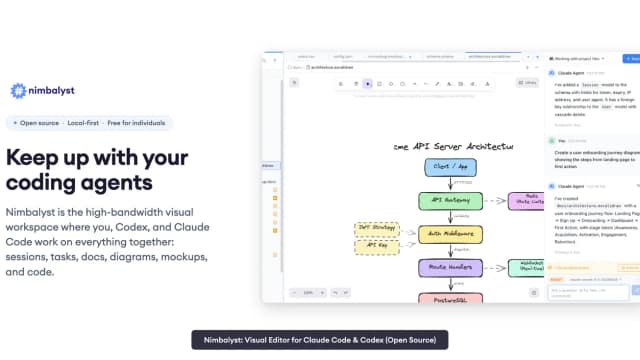
Nimbalyst brings coding-agent sessions, visual editors and task tracking into a local workspace. Individual use is free, while shared team documents use a separate collaboration service.

VibeBot builds and hosts custom-branded Discord bots from descriptions, with paid AI-building access, templates, and a separately charged source export.

Markty combines brand-aware marketing agents, social content, visibility monitoring, and assistant connections with calendar approval for scheduled posts.

Hintedly is a desktop meeting assistant that uses screen, audio, and file context for suggested responses, followed by notes and follow-up drafts.
Start with the job, not the brand. Pick a category, sort by newest to see recent launches, then open a tool page to read what it does, who it suits and where its official website is.
Sign in, choose Submit Tool, paste the tool’s official website, pick a category and add a sentence on what it does. Submitting is instant: it is saved straight away and appears in your submission history, where you can follow it through to its published page.
Yes. Founders and makers are welcome to submit their own tools. Link the official product page rather than a social post or app store listing, so readers land in the right place.
Some are free, many have a free plan, and some are paid only. Each tool page links to the official website, which has the current pricing, because plans and prices change often.
New tools are added every day. Sort by Newest first to see the latest additions, or follow the AI Tools RSS feed to get them as they are published.