

CoffeeChats.ai
CoffeeChats.ai organizes recurring member introductions, scheduling and feedback, with random matching on Basic and custom rules on higher plans.
Find AI tools for work, creativity and everyday tasks. Read what they do before you try them.
CoffeeChats.ai organizes recurring member introductions, scheduling and feedback, with random matching on Basic and custom rules on higher plans.
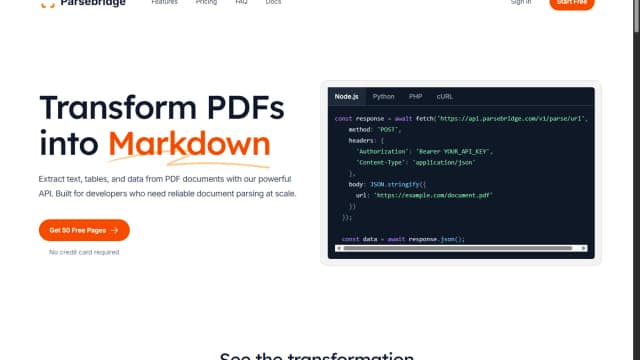
Parsebridge provides a managed PDF-to-Markdown API built on Docling, with page-based credits, a first-page preview and documented failure responses.

Magnific is an advanced image upscaling and enhancement tool that adds intricate detail to existing visuals. By utilizing generative AI to intelligently hallucinate textures and...

Trupeer converts screen recordings into edited videos and step-by-step guides, with translation, branding and credit-based generation allowances.

InstantDM builds Instagram comment-to-message and inbox flows, combining keyword triggers, rich responses, contact tagging and optional AI replies.

Iridea builds a reusable brand file from your website and campaign brief, then generates ad images and videos. Its credits cover brand setup, delivered assets and subsequent changes.

Neo offers credit-priced ML tooling with Lite and Pro modes, bring-your-own-compute options and enterprise controls. Confirm compute entitlements and task costs before selecting a plan.

TonesMatch suggests amp settings, pickup positions and pedal chains for a song using your guitar or bass equipment. Treat its researched-tone claims as guidance to check by listening.

SynthBoard keeps AI decision discussions attached to reviewed business context, with named personas, persistent calls and signed webhook events.
Start with the job, not the brand. Pick a category, sort by newest to see recent launches, then open a tool page to read what it does, who it suits and where its official website is.
Sign in, choose Submit Tool, paste the tool’s official website, pick a category and add a sentence on what it does. Submitting is instant: it is saved straight away and appears in your submission history, where you can follow it through to its published page.
Yes. Founders and makers are welcome to submit their own tools. Link the official product page rather than a social post or app store listing, so readers land in the right place.
Some are free, many have a free plan, and some are paid only. Each tool page links to the official website, which has the current pricing, because plans and prices change often.
New tools are added every day. Sort by Newest first to see the latest additions, or follow the AI Tools RSS feed to get them as they are published.