
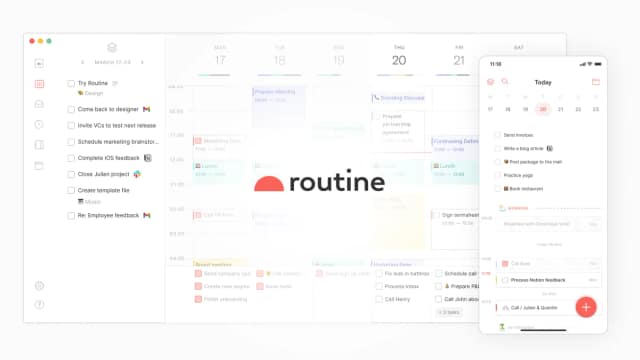
Routine
Routine combines a universal work inbox, task and calendar planning, meeting notes, custom databases, and AI commands or automations.
Find AI tools for work, creativity and everyday tasks. Read what they do before you try them.
Routine combines a universal work inbox, task and calendar planning, meeting notes, custom databases, and AI commands or automations.

Zero provides an automation environment that connects your various software applications through autonomous agents. By bridging the gap between disconnected tools, it allows users to...

GPT Image Prompt is an independent workspace for creating, reviewing, testing, and organizing reusable prompts alongside generated results. It supports image and video model options...

GeniLoop combines AI image, video, animation, and visual-effects tools with multiple models, resolutions, and aspect ratios.

ProdSift extracts product data from public Shopify and WooCommerce stores and exports selected items or catalogs in platform-specific CSV formats.

Cadence records screens and adds post-recording voice, caption and avatar tools. Its AI processing allowance is separate from unlimited recording, and some client availability is marked...

Clawputer is an early-access personal agent reached through iMessage or Telegram. Its publisher describes a persistent Linux workspace with files, a browser and a terminal; detailed...

Text to 360° generates interactive 360° equirectangular panoramas from text prompts or reference images using fal.ai.

Runner is a cloud-based work assistant that connects to business applications and performs tasks such as email, CRM, document, analytics, and browser workflows.
Start with the job, not the brand. Pick a category, sort by newest to see recent launches, then open a tool page to read what it does, who it suits and where its official website is.
Sign in, choose Submit Tool, paste the tool’s official website, pick a category and add a sentence on what it does. Submitting is instant: it is saved straight away and appears in your submission history, where you can follow it through to its published page.
Yes. Founders and makers are welcome to submit their own tools. Link the official product page rather than a social post or app store listing, so readers land in the right place.
Some are free, many have a free plan, and some are paid only. Each tool page links to the official website, which has the current pricing, because plans and prices change often.
New tools are added every day. Sort by Newest first to see the latest additions, or follow the AI Tools RSS feed to get them as they are published.