

Face2social
Face2social searches for possible Instagram, TikTok, Facebook, and X profiles from an uploaded photo, with free result previews before payment.
Find AI tools for work, creativity and everyday tasks. Read what they do before you try them.
Face2social searches for possible Instagram, TikTok, Facebook, and X profiles from an uploaded photo, with free result previews before payment.

Design.com combines AI-assisted logo discovery and editing with downloadable brand assets, matching templates and optional extended logo licenses.

EchoTik helps TikTok sellers research products and creators, compare competitors and monitor livestreams. Check historical access and export quotas when choosing a plan.
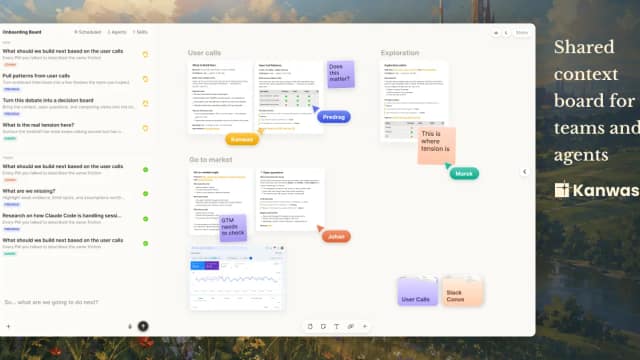
Kanwas brings product context, a collaborative canvas and an AI thinking partner into one workspace so teams can work from shared evidence and decisions.

Veluvanto functions as an intelligent document management system designed to centralize scattered files and streamline information retrieval. By processing uploaded documents, the tool...

OpenLegion runs container-isolated agent teams with a credential proxy, per-agent permissions and spending controls, through managed hosting or self-hosted infrastructure.

VideoDB organizes video for visual-AI development: search failed runs, retrieve relevant episodes, add sources, annotate with human quality control and evaluate the next model.

PropsBot.AI is a sports-wagering analytics service; its published metrics illustrate why prediction accuracy, historical returns and future outcomes must be distinguished.

DiffHook monitors public pages, feeds and APIs and sends structured change events to webhooks. Plans set polling intervals, monitor counts and separate lightweight and visual-check...
Start with the job, not the brand. Pick a category, sort by newest to see recent launches, then open a tool page to read what it does, who it suits and where its official website is.
Sign in, choose Submit Tool, paste the tool’s official website, pick a category and add a sentence on what it does. Submitting is instant: it is saved straight away and appears in your submission history, where you can follow it through to its published page.
Yes. Founders and makers are welcome to submit their own tools. Link the official product page rather than a social post or app store listing, so readers land in the right place.
Some are free, many have a free plan, and some are paid only. Each tool page links to the official website, which has the current pricing, because plans and prices change often.
New tools are added every day. Sort by Newest first to see the latest additions, or follow the AI Tools RSS feed to get them as they are published.