

Buda
Buda is a cloud workspace for teams of AI agents with persistent files, tools and scheduled tasks. Plans distinguish basic agent chat and drives from browser, terminal and Git access.
Find AI tools for work, creativity and everyday tasks. Read what they do before you try them.
Buda is a cloud workspace for teams of AI agents with persistent files, tools and scheduled tasks. Plans distinguish basic agent chat and drives from browser, terminal and Git access.

Agent Reach helps command-capable AI agents select and check tools for web and platform reading. Some channels require authorized browser sessions or credentials; it does not grant...
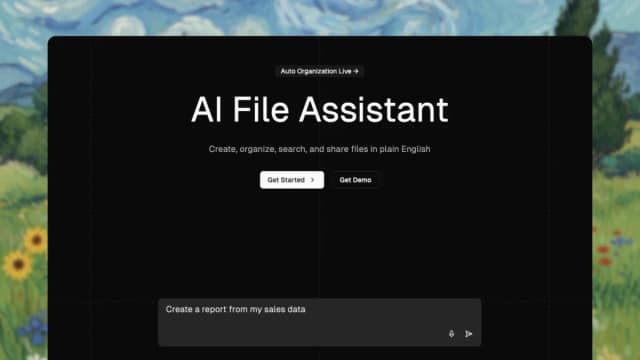
The Drive AI organizes and searches files by content, creates documents and supports shared workflows. Email integration and advanced models are paid features, and source citations...
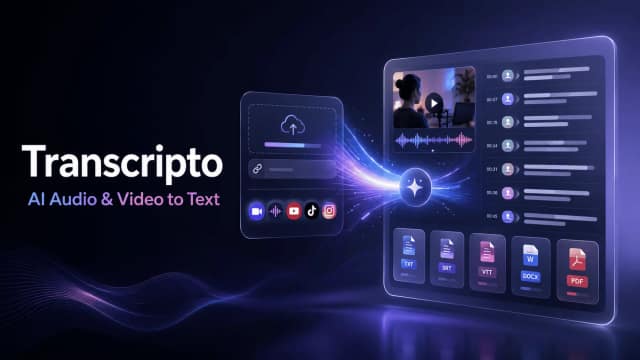
Transcripto converts uploaded recordings and supported social links into editable transcripts, with timestamps, speaker labels, translation, summaries, and plan-based export capacity.

Miso One presents an English TTS model demo and voice-credit plans, while directing developers to public model files for local evaluation.

Suprmind coordinates several AI models in a shared conversation, with sequential debate modes, disagreement tracking, and document exports.

Nova is a multi-model AI assistant for conversational questions, writing, proofreading, homework support, and recommendations.

Fundraising support for startup founders combining investor matching, warm-introduction discovery, targeted outreach, and guidance on fundraising materials and strategy.

OpenMed is an open-source clinical-text toolkit for biomedical entity extraction and configurable de-identification on controlled hardware.
Start with the job, not the brand. Pick a category, sort by newest to see recent launches, then open a tool page to read what it does, who it suits and where its official website is.
Sign in, choose Submit Tool, paste the tool’s official website, pick a category and add a sentence on what it does. Submitting is instant: it is saved straight away and appears in your submission history, where you can follow it through to its published page.
Yes. Founders and makers are welcome to submit their own tools. Link the official product page rather than a social post or app store listing, so readers land in the right place.
Some are free, many have a free plan, and some are paid only. Each tool page links to the official website, which has the current pricing, because plans and prices change often.
New tools are added every day. Sort by Newest first to see the latest additions, or follow the AI Tools RSS feed to get them as they are published.