
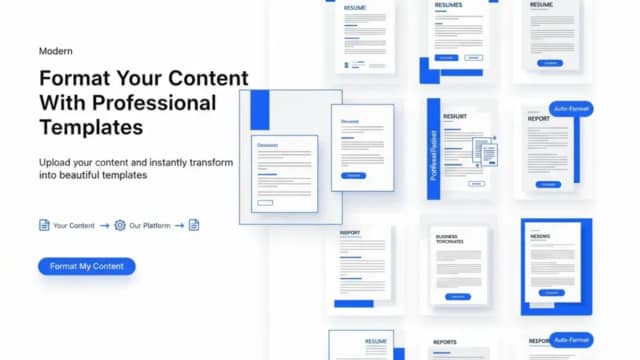
AIFormatter
AIFormatter puts uploaded content or raw text into editable document templates, including resumes, cover letters, agendas, invoices, and receipts.
Find AI tools for work, creativity and everyday tasks. Read what they do before you try them.
AIFormatter puts uploaded content or raw text into editable document templates, including resumes, cover letters, agendas, invoices, and receipts.
Guideless captures software workflows and turns them into editable written and narrated guides, with links, embeds, exports, and team workspaces.

Elser is an anime-focused AI creation platform for generating characters, images, comics, storyboards, and short videos, with additional listed audio, lip-sync, enhancement, and...

Commentions automates keyword-based YouTube commenting with AI-generated, video-specific comments, approval controls, and support for multiple accounts and languages.
Dafthunk is an MIT-licensed visual automation platform for Cloudflare. It connects processing nodes, manages triggers and records individual workflow executions.

Pronto is an AI-powered tool designed to streamline content creation and enhance productivity. It offers a suite of features including text generation, summarization, and idea...

Hypnotype turns scripts or uploaded audio into synchronized text videos, using seven layouts, portrait or landscape formats and plan-dependent export limits.

OpenAI’s ChatGPT Images generates and edits images, with improved instruction following, detail preservation, text rendering, and a dedicated Images space. GPT Image 1.5 is available...

Compyle helps environmental professionals assemble source material and draft Phase I environmental site assessment reports. Professionals review, edit and approve the report before it...
Start with the job, not the brand. Pick a category, sort by newest to see recent launches, then open a tool page to read what it does, who it suits and where its official website is.
Sign in, choose Submit Tool, paste the tool’s official website, pick a category and add a sentence on what it does. Submitting is instant: it is saved straight away and appears in your submission history, where you can follow it through to its published page.
Yes. Founders and makers are welcome to submit their own tools. Link the official product page rather than a social post or app store listing, so readers land in the right place.
Some are free, many have a free plan, and some are paid only. Each tool page links to the official website, which has the current pricing, because plans and prices change often.
New tools are added every day. Sort by Newest first to see the latest additions, or follow the AI Tools RSS feed to get them as they are published.