

MyBusinessFlow
MyBusinessFlow provides an AI front desk for home-service businesses, with phone and text intake, calendar coordination and lead follow-up. The page marks automated invoice sending and...
Find AI tools for work, creativity and everyday tasks. Read what they do before you try them.
MyBusinessFlow provides an AI front desk for home-service businesses, with phone and text intake, calendar coordination and lead follow-up. The page marks automated invoice sending and...

Skene connects launch plans to tracking checks and measured results. Its cloud service reviews tracking changes; the separate open-source CLI has different account and model-provider...

Independent overview of Kirkify AI for face-swap memes, including its workflow, verified access details, limitations, and official website.
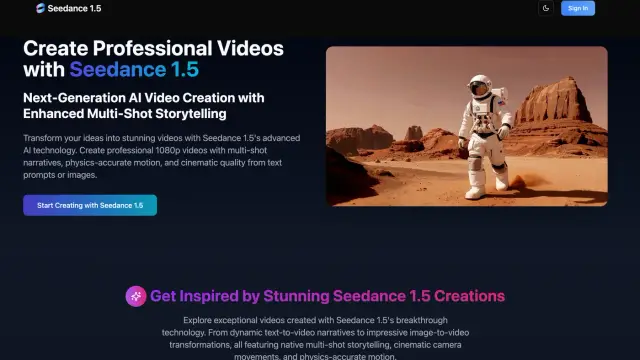
Seedance 1.5 generates short videos from text or images with synchronized speech, lip-sync, multilingual voices, cinematic camera movement, and ambient audio.

Aira handles inbound business calls with an AI receptionist, intake questions and routing rules. Businesses can forward an existing number, send booking links and review transcripts,...

Zest tracks coding-agent activity, team AI setups and delivery metrics. Its model-estimated build hours and illustrative dashboards should not be treated as employee timesheets or proof...

AppWizzy provides AI-assisted full-stack development on hosted machines, with repository edits and separate AI, hosting and template costs.

Aimage combines prompt-based image generation, photo style changes, image-to-prompt tools and AI video creation. Check credits and output rights before choosing a plan.

Penny is an AI-powered shopping assistant designed to streamline your online purchasing decisions. This tool excels at price comparisons across various retailers, helping you ensure...
Shopping for software? Browse seasonal AI tool deals and check each seller’s offer terms.
Start with the job, not the brand. Pick a category, sort by newest to see recent launches, then open a tool page to read what it does, who it suits and where its official website is.
Sign in, choose Submit Tool, paste the tool’s official website, pick a category and add a sentence on what it does. Submitting is instant: it is saved straight away and appears in your submission history, where you can follow it through to its published page.
Yes. Founders and makers are welcome to submit their own tools. Link the official product page rather than a social post or app store listing, so readers land in the right place.
Some are free, many have a free plan, and some are paid only. Each tool page links to the official website, which has the current pricing, because plans and prices change often.
New tools are added every day. Sort by Newest first to see the latest additions, or follow the AI Tools RSS feed to get them as they are published.