
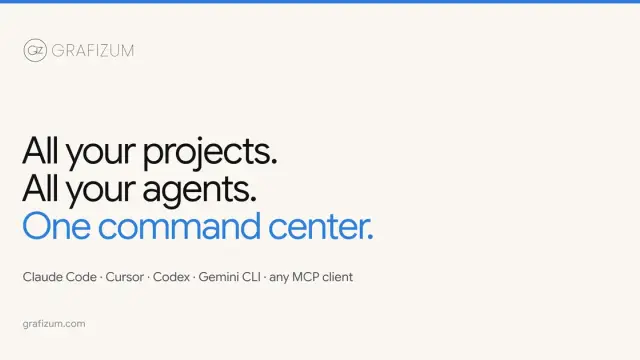
Grafizum for managing projects shared with coding agents
Grafizum keeps project tasks on a board that coding agents can access through a scoped connection. The publisher documents read and write controls.
Find AI tools for work, creativity and everyday tasks. Read what they do before you try them.
Grafizum keeps project tasks on a board that coding agents can access through a scoped connection. The publisher documents read and write controls.

Wholetally measures AI crawler requests and visits referred by assistants. Its Explain feature uses aggregate counts to describe changes on a chart.
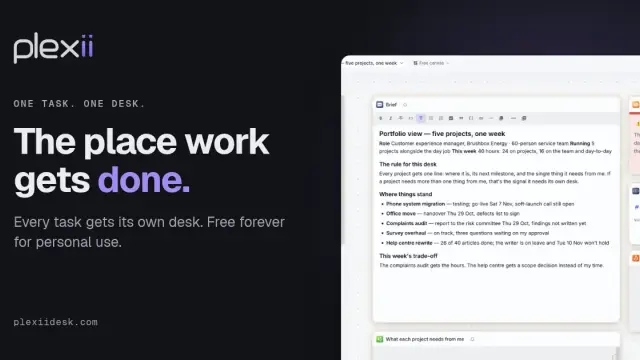
PlexiiDesk is a Mac and Windows workspace for putting project files and tasks together, then asking an assistant to answer from them.

HackerTube AI turns a question into a sequence of technical videos and provides discussion context for videos in a Hacker News archive.

Planet AI lets users search a satellite imagery archive in a map-based chat interface. The publisher describes free access and shareable comparisons.

Kivo is a Mac dictation preview that writes at the cursor, removes common filler and runs offline after downloading its speech model.

Influverse combines AI image and video creation with social publishing. Its free Starter plan has one-time credits, and scheduling starts on paid tiers.

Living Brain compiles information into source-linked memory for people and agents. It offers API, SDK and MCP access with metered usage.
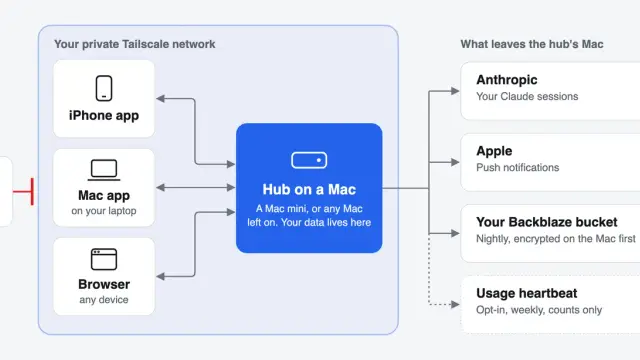
life runs a group of Claude Code agents on a Mac you manage. Its clients surface tasks, schedules and approval requests across your devices.
Shopping for software? Browse seasonal AI tool deals and check each seller’s offer terms.
Start with the job, not the brand. Pick a category, sort by newest to see recent launches, then open a tool page to read what it does, who it suits and where its official website is.
Sign in, choose Submit Tool, paste the tool’s official website, pick a category and add a sentence on what it does. Submitting is instant: it is saved straight away and appears in your submission history, where you can follow it through to its published page.
Yes. Founders and makers are welcome to submit their own tools. Link the official product page rather than a social post or app store listing, so readers land in the right place.
Some are free, many have a free plan, and some are paid only. Each tool page links to the official website, which has the current pricing, because plans and prices change often.
New tools are added every day. Sort by Newest first to see the latest additions, or follow the AI Tools RSS feed to get them as they are published.