
OpenMontage
OpenMontage is an open-source video-production toolkit operated by a coding assistant. It combines staged production instructions, local rendering and optional media providers with...
Find AI tools for work, creativity and everyday tasks. Read what they do before you try them.
OpenMontage is an open-source video-production toolkit operated by a coding assistant. It combines staged production instructions, local rendering and optional media providers with...
DaVinci brings several image and video model families into a creative workspace with editing and resizing tools. Generation limits depend on credits, model choice and subscription terms.
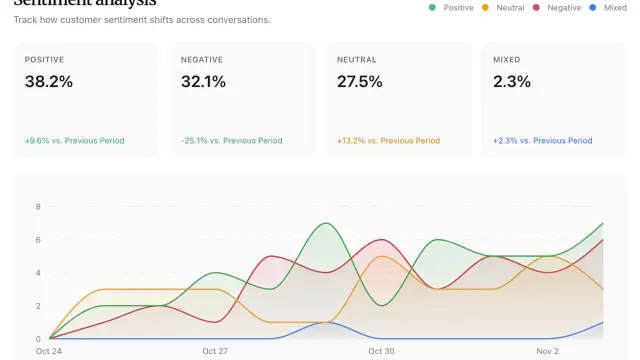
Diaform uses AI agents to run customer conversations by voice or text, with follow-up questions and response analysis. Plans meter AI messages, projects and team seats separately.

Tenet is an AI marketing service built around shared brand context, content creation and campaign work. Teams can direct it themselves or request a dedicated human operator.
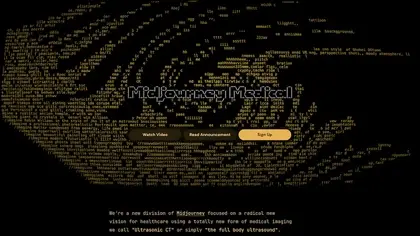
Midjourney Medical describes a planned whole-body imaging approach called “Ultrasonic CT” or “the full body ultrasound,” with scans taking as little as 60 seconds and using sound and water.
AllyHub is a browser-native AI-agent platform for researching websites, extracting data, creating content, and automating repeatable browser workflows. Its social-listening tool...

SuperIntern drafts client emails and supports meeting and follow-up workflows. Its publisher says replies require your approval; the Starter allowance combines included and daily bonus...

ImagetoImage is a prompt-based image transformation service. Users upload reference images and request restyling or edits; its credit purchases use Telegram Stars rather than a...

AI Couple Photo combines two separate portraits into a generated shared scene. Plans use credits, and both commercial use and uploads require appropriate rights and consent.
Shopping for software? Browse seasonal AI tool deals and check each seller’s offer terms.
Start with the job, not the brand. Pick a category, sort by newest to see recent launches, then open a tool page to read what it does, who it suits and where its official website is.
Sign in, choose Submit Tool, paste the tool’s official website, pick a category and add a sentence on what it does. Submitting is instant: it is saved straight away and appears in your submission history, where you can follow it through to its published page.
Yes. Founders and makers are welcome to submit their own tools. Link the official product page rather than a social post or app store listing, so readers land in the right place.
Some are free, many have a free plan, and some are paid only. Each tool page links to the official website, which has the current pricing, because plans and prices change often.
New tools are added every day. Sort by Newest first to see the latest additions, or follow the AI Tools RSS feed to get them as they are published.