

videowatermarkremover.org
VideoWatermarkRemover.org offers online removal of video overlays with a listed 100 MB upload limit. Use it only on material you own or are authorized to edit; removal does not grant...
Find AI tools for work, creativity and everyday tasks. Read what they do before you try them.
VideoWatermarkRemover.org offers online removal of video overlays with a listed 100 MB upload limit. Use it only on material you own or are authorized to edit; removal does not grant...

Exa supplies web search and content-extraction APIs for agents, with separate copied highlights, full-page text and generated-summary options.
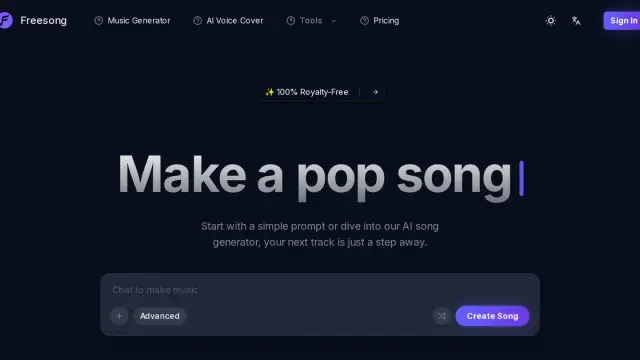
Freesong generates songs from a prompt or supplied lyrics, with advertised voice-cover and stem tools; paid-plan usage rights need checking beyond its royalty-free headline.
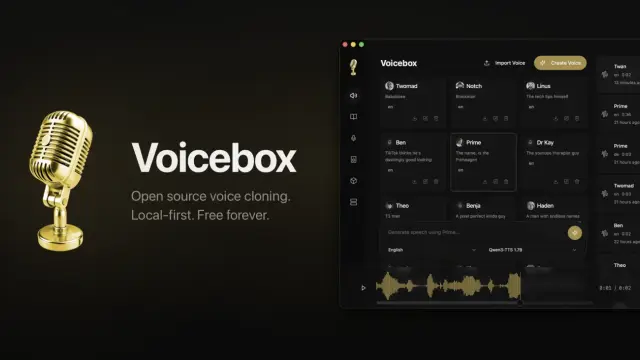
Voicebox is an open-source desktop voice studio with local speech generation, voice cloning, dictation and agent speech controls. Optional cloud plans are not yet available.

Convertigo combines no-code and low-code studios for business applications, with AI-assisted development, system connectors and cloud or on-premises deployment.

Flow Music AI creates music-led videos and social visuals from prompts and references. Its Lite interface lists a ten-second audio upload limit and five credits per generation.

FreeMusicCreator generates songs and instrumentals from prompts or lyrics and offers audio-separation tools. Its free allowance is small and personal-use only; paid plans advertise...

AIImageTranslator translates text inside uploaded images. Its homepage advertises free use and broad language coverage, but contradicts itself about batch uploads and accuracy.
OpenMontage is an open-source video-production toolkit operated by a coding assistant. It combines staged production instructions, local rendering and optional media providers with...
Shopping for software? Browse seasonal AI tool deals and check each seller’s offer terms.
Start with the job, not the brand. Pick a category, sort by newest to see recent launches, then open a tool page to read what it does, who it suits and where its official website is.
Sign in, choose Submit Tool, paste the tool’s official website, pick a category and add a sentence on what it does. Submitting is instant: it is saved straight away and appears in your submission history, where you can follow it through to its published page.
Yes. Founders and makers are welcome to submit their own tools. Link the official product page rather than a social post or app store listing, so readers land in the right place.
Some are free, many have a free plan, and some are paid only. Each tool page links to the official website, which has the current pricing, because plans and prices change often.
New tools are added every day. Sort by Newest first to see the latest additions, or follow the AI Tools RSS feed to get them as they are published.