

Rendershop
Rendershop turns architectural sketches and model images into renders, with targeted editing, enhancement, virtual staging and short walkthrough videos.
Find AI tools for work, creativity and everyday tasks. Read what they do before you try them.
Rendershop turns architectural sketches and model images into renders, with targeted editing, enhancement, virtual staging and short walkthrough videos.

CanIRun.ai matches hardware with open AI models, estimating memory fit and speed and offering model-launch guidance for local inference.

Google Chrome combines tab management, account synchronization and browser safety tools with Gemini, AI Mode search and Google Lens features.

AI Commerce Visibility by Parcel Perform leverages artificial intelligence to provide comprehensive insights into the entire e-commerce journey, from pre-purchase to post-delivery. This...
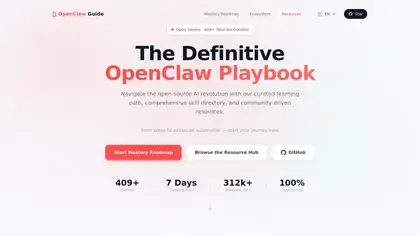
OpenClaw Guide is Mykyta Haida's public, MIT-licensed handbook covering self-hosted agent installation, configuration, memory, automation and security.

Kai Companion is an Apple safety app that triggers location SMS alerts and a contact call, with timers, fall detection and Apple Health context.

FloorPlan.aiai generates editable 2D and 3D layouts and connects them with room, exterior and virtual-staging visualizations.

Wan 2.7 is a creator-focused AI video workflow for text-to-video, image-to-video, reference control, and guided short-form video production.

QMD is a local document-search engine combining keyword retrieval, semantic vectors and model reranking, with CLI, MCP and library interfaces.
Shopping for software? Browse seasonal AI tool deals and check each seller’s offer terms.
Start with the job, not the brand. Pick a category, sort by newest to see recent launches, then open a tool page to read what it does, who it suits and where its official website is.
Sign in, choose Submit Tool, paste the tool’s official website, pick a category and add a sentence on what it does. Submitting is instant: it is saved straight away and appears in your submission history, where you can follow it through to its published page.
Yes. Founders and makers are welcome to submit their own tools. Link the official product page rather than a social post or app store listing, so readers land in the right place.
Some are free, many have a free plan, and some are paid only. Each tool page links to the official website, which has the current pricing, because plans and prices change often.
New tools are added every day. Sort by Newest first to see the latest additions, or follow the AI Tools RSS feed to get them as they are published.