
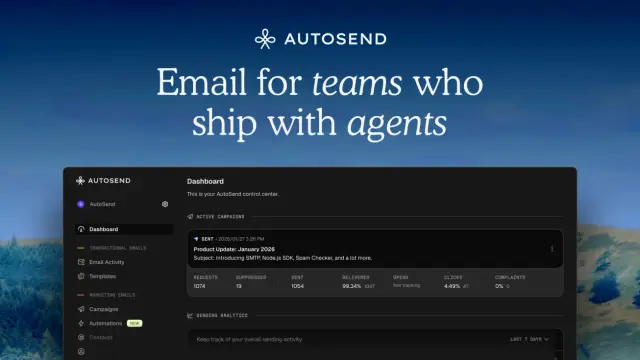
AutoSend: Send better emails.
AutoSend combines transactional email, marketing campaigns and event-triggered sequences, with REST/SMTP access and agent-facing MCP tools.
Find AI tools for work, creativity and everyday tasks. Read what they do before you try them.
AutoSend combines transactional email, marketing campaigns and event-triggered sequences, with REST/SMTP access and agent-facing MCP tools.
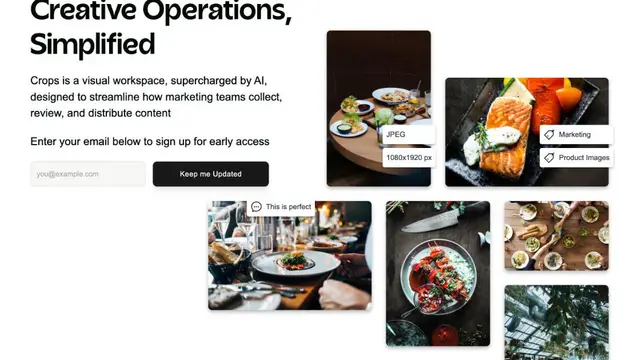
Baseline is a digital asset management platform for organizing, searching, reviewing, sharing, and publishing creative and marketing assets.

FAQ Ally prepares, verifies, and connects company knowledge so AI agents can provide cited answers or abstain when evidence is insufficient.

Luminar Neo ist ein KI-gestütztes Bildbearbeitungsprogramm für Windows und macOS mit RAW-, Ebenen-, Stapel- und generativen Bearbeitungsfunktionen.

An online visual field screening and monitoring tool with Simple and Advanced modes, AI summaries, trend tracking, comparisons, and shareable PDF reports.

Mistral Vibe CLI is a terminal coding assistant introduced with Devstral 2, offering code search, file changes, command execution and configurable tool permissions.

MyClone creates AI-powered digital twins that use a professional’s knowledge and voice to qualify leads, answer questions, and book meetings.

FeatureShark connects customer feedback, product analytics, session replay and support context. AI agents prepare work while people approve consequential decisions; analytics and...
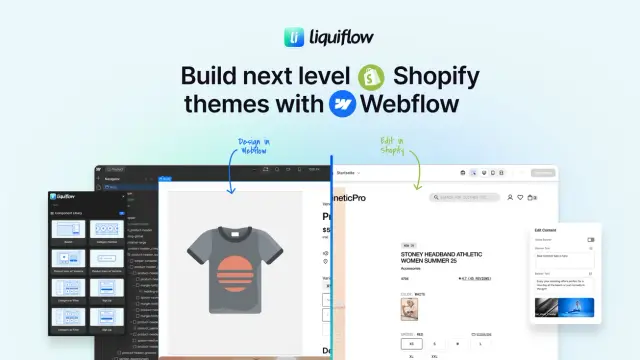
Liquiflow lets teams design Shopify 2.0 themes and custom sections in Webflow while keeping products, content, and e-commerce management in Shopify.
Shopping for software? Browse seasonal AI tool deals and check each seller’s offer terms.
Start with the job, not the brand. Pick a category, sort by newest to see recent launches, then open a tool page to read what it does, who it suits and where its official website is.
Sign in, choose Submit Tool, paste the tool’s official website, pick a category and add a sentence on what it does. Submitting is instant: it is saved straight away and appears in your submission history, where you can follow it through to its published page.
Yes. Founders and makers are welcome to submit their own tools. Link the official product page rather than a social post or app store listing, so readers land in the right place.
Some are free, many have a free plan, and some are paid only. Each tool page links to the official website, which has the current pricing, because plans and prices change often.
New tools are added every day. Sort by Newest first to see the latest additions, or follow the AI Tools RSS feed to get them as they are published.