

ColoringDaily
ColoringDaily creates printable line art from text or photos and provides a browsable library, with PDF, SVG, and PNG downloads.
Find AI tools for work, creativity and everyday tasks. Read what they do before you try them.
ColoringDaily creates printable line art from text or photos and provides a browsable library, with PDF, SVG, and PNG downloads.

SpringBrand connects agents to marketing and sales APIs and task-oriented plugins, with account-specific availability and a shared credit balance.

Gazouya is a browser-based image generator with Japanese and English prompts, optional reference images, adjustable styles and aspect ratios, and a daily free allowance. Its public...

VideoUpscale.net enhances existing footage in a browser, with resolution-dependent credits and options for denoising, restoration, and higher-resolution exports.

ZOOOP organizes generated images, video, and audio through focused tools and a shared team canvas, using non-expiring pay-as-you-go credits.

Playn AI drafts editable travel itineraries from spoken or typed requests, alongside road-trip ideas, a calendar, and printable packing lists.
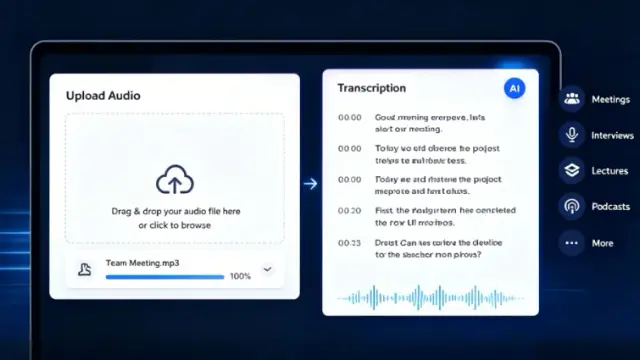
AudioTranscription.io converts recordings and YouTube videos into transcripts, with pay-as-you-go credits and subscription options for larger workloads.

Emix.ai presents one API gateway for image, video, audio, and chat models, with usage-based billing and developer testing features.

Unfox estimates whether text is AI-generated or human-written using multilingual, sentence-level analysis and probability-based results.
Shopping for software? Browse seasonal AI tool deals and check each seller’s offer terms.
Start with the job, not the brand. Pick a category, sort by newest to see recent launches, then open a tool page to read what it does, who it suits and where its official website is.
Sign in, choose Submit Tool, paste the tool’s official website, pick a category and add a sentence on what it does. Submitting is instant: it is saved straight away and appears in your submission history, where you can follow it through to its published page.
Yes. Founders and makers are welcome to submit their own tools. Link the official product page rather than a social post or app store listing, so readers land in the right place.
Some are free, many have a free plan, and some are paid only. Each tool page links to the official website, which has the current pricing, because plans and prices change often.
New tools are added every day. Sort by Newest first to see the latest additions, or follow the AI Tools RSS feed to get them as they are published.