

Beamtrace
Beamtrace tracks brand mentions, recommendation position and competitors in AI-generated answers, with prompt-level reports and visibility trends. ChatGPT is listed as supported;...
Find AI tools for work, creativity and everyday tasks. Read what they do before you try them.
Beamtrace tracks brand mentions, recommendation position and competitors in AI-generated answers, with prompt-level reports and visibility trends. ChatGPT is listed as supported;...

Black Forest Labs describes FLUX 3 Video as a multimodal generation and editing model with ordered keyframes, clip continuation and draft previews.
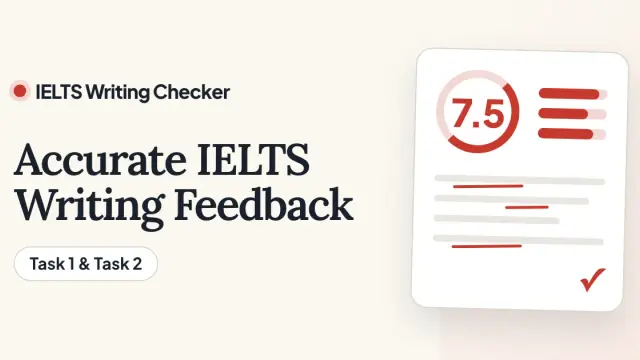
IELTS Writing Checker uses AI and public IELTS assessment criteria to provide estimated scores and feedback on practice responses. It is an independent learning tool, with Task1 and...

Cross-platform AI memory for ChatGPT, Claude, Gemini, Grok, DeepSeek, and Kimi, with a Chrome extension, web app, desktop app, MCP, APIs, and SDKs.
Ego Lite is a Chromium-based browser that connects coding agents to existing logged-in sessions, with separate workspaces for agent tasks and human browsing.

Open-source, local-first desktop AI agent that turns requests into deliverables across connected tools, with user-selected models and approval before important actions.

Lovspark presents a canvas for interior and architectural design concepts, including room staging, exterior materials, product scenes, and image refinement.
TapVid creates motion-graphics explainer videos from prompts, documents, or scripts, with review stages and credit-based plans for exports and integrations.

BookletAI turns supplied content or a topic into illustrated pages, with editable outlines, page-level revisions and PDF or HTML export.
Shopping for software? Browse seasonal AI tool deals and check each seller’s offer terms.
Start with the job, not the brand. Pick a category, sort by newest to see recent launches, then open a tool page to read what it does, who it suits and where its official website is.
Sign in, choose Submit Tool, paste the tool’s official website, pick a category and add a sentence on what it does. Submitting is instant: it is saved straight away and appears in your submission history, where you can follow it through to its published page.
Yes. Founders and makers are welcome to submit their own tools. Link the official product page rather than a social post or app store listing, so readers land in the right place.
Some are free, many have a free plan, and some are paid only. Each tool page links to the official website, which has the current pricing, because plans and prices change often.
New tools are added every day. Sort by Newest first to see the latest additions, or follow the AI Tools RSS feed to get them as they are published.