

Facefame
Facefame uses an uploaded photo to create AI avatars, professional portraits, ID-style images, and animated photo or video content.
Find AI tools for work, creativity and everyday tasks. Read what they do before you try them.
Facefame uses an uploaded photo to create AI avatars, professional portraits, ID-style images, and animated photo or video content.

Loopa presents an AI-agent workspace for research, documents, generated media and connected workflows. Its published examples need task-by-task checking; the captured page does not...

JobSuit analyzes and tailors resumes to job descriptions and drafts cover letters. Its interview-related refund offer is conditional, and displayed plan prices require checking the...

EzImgEditor offers single-image editing and multi-image blending. Compare its editing modes, daily free credits, and checks to make before using an output.

Buda is a cloud workspace for teams of AI agents with persistent files, tools and scheduled tasks. Plans distinguish basic agent chat and drives from browser, terminal and Git access.
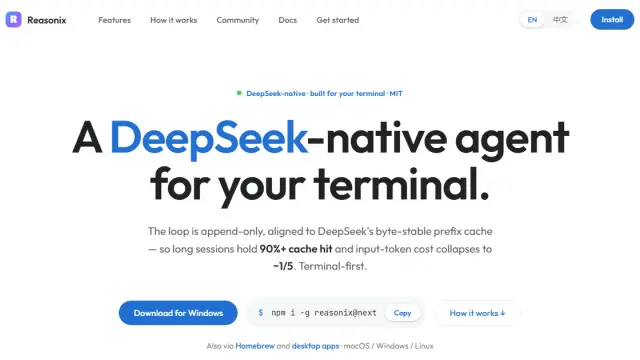
Reasonix is an open-source coding agent with desktop, terminal, browser and editor interfaces. It uses tool permissions and turn checkpoints, but local execution still sends code to the...

Agent Reach helps command-capable AI agents select and check tools for web and platform reading. Some channels require authorized browser sessions or credentials; it does not grant...

StudentAI is an AI-powered learning platform with study-material tools, practice-test and quiz generation, specialized tutors, and StudentAI Tutor mobile apps.
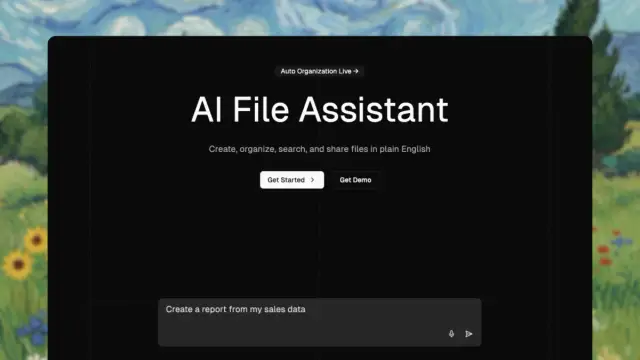
The Drive AI organizes and searches files by content, creates documents and supports shared workflows. Email integration and advanced models are paid features, and source citations...
Shopping for software? Browse seasonal AI tool deals and check each seller’s offer terms.
Start with the job, not the brand. Pick a category, sort by newest to see recent launches, then open a tool page to read what it does, who it suits and where its official website is.
Sign in, choose Submit Tool, paste the tool’s official website, pick a category and add a sentence on what it does. Submitting is instant: it is saved straight away and appears in your submission history, where you can follow it through to its published page.
Yes. Founders and makers are welcome to submit their own tools. Link the official product page rather than a social post or app store listing, so readers land in the right place.
Some are free, many have a free plan, and some are paid only. Each tool page links to the official website, which has the current pricing, because plans and prices change often.
New tools are added every day. Sort by Newest first to see the latest additions, or follow the AI Tools RSS feed to get them as they are published.